
How to Fix Uneven Cuts and Missed Patches by Your Robot Mower (Complete Troubleshooting Guide for Perfect Lawn Coverage)
Aaron Cooper1. Introduction
You bought a robot mower for one simple reason: freedom. No more sweating behind a push mower every weekend. And yet… here you are, staring at random tufts, uneven stripes, and those stubborn missed patches that somehow survive every mowing cycle.
Frustrating? Absolutely.
The truth is, most uneven cutting issues aren’t random at all. They’re usually caused by a mix of lawn conditions, blade health, setup mistakes, and scheduling gaps. The good news? Nearly all of them are fixable—often in under an hour.
2. Quick Fixes: How to Troubleshoot Uneven Cuts Step by Step

2.1 Start with Lawn Conditions: Grass Length, Moisture, and Density
Let’s start with the most overlooked culprit: your lawn itself.
Robot mowers aren’t designed to rescue jungle-like grass. They’re maintenance machines. If your lawn got out of control—maybe after a vacation or a rainy growth spurt—the mower will struggle. Instead of slicing cleanly, it pushes long grass over, leaving behind those annoying clumps and “missed” patches.
So what actually works?
- If the grass is long, do one manual cut first to reset everything.
- Raise the cutting height temporarily, then lower it gradually over several days.
- Avoid mowing when the lawn is wet—your mower (and your patience) will thank you.
- During peak growth seasons, increase mowing frequency so the robot is always trimming, not fighting overgrowth.
Think of it this way: a robot mower thrives on consistency. Short, dry, manageable grass = smooth, even results. Anything else? Chaos.
2.2 Inspect Blades and Cutting System for Immediate Improvements
If your lawn looks like it’s been “chewed” instead of cut, your blades are probably the culprit.
Dull or damaged blades don’t slice grass cleanly—they tear it. That leads to uneven height, ragged tips, and those random strands that seem to escape every pass. Across industry guidance and user feedback, dull blades are consistently one of the top reasons for patchy results.
Here’s what to check:
- Blades that look rounded, bent, or nicked
- Missing blades (yes, it happens more than you’d think)
- Blades that don’t spin freely
The fix is simple: replace them. Don’t overthink it. And if you’re tempted to stretch “just one more week” out of old blades—don’t. Clean cuts aren’t just cosmetic. They actually help your grass stay healthier and greener.
2.3 Clean the Deck and Fix Blockages That Reduce Cutting Efficiency
Here’s something most people don’t realize until it’s too late: your mower might be working… but the cutting system isn’t.
Flip your mower over (safely), and you might find a thick, sticky layer of grass clippings packed under the deck. Especially after mowing wet or long grass, buildup can get serious.
Warning Signs
- Grass clumps stuck underneath
- Reduced cutting quality over time
- Occasional “cutting system blocked” alerts
Impact of Buildup
- Blocks essential airflow
- Slows blade rotation speed
- Directly causes missed spots
The fix? Follow these steps:
- Turn off the mower completely.
- Gently remove debris using a brush or plastic tool.
- Clear around the blade disc and moving parts.
- Make sure everything spins freely before restarting.
It’s a 10-minute job. But the difference? Immediate. Clean deck. Clean cut. Every time.
2.4 Adjust Runtime and Mowing Frequency for Even Coverage
This is where expectations trip people up. Most robot mowers don’t mow in neat lines. They move in random or semi-random patterns, relying on time—not precision—to achieve full coverage.
If your mower isn’t running long enough, it will literally miss areas by chance. Those missed areas grow faster, making the problem look worse every day.
The fix is surprisingly simple:
- Increase daily runtime.
- Add more mowing days per week.
- Adjust for seasonal growth (spring = more mowing, always).
As highlighted in multiple troubleshooting guides, insufficient runtime is one of the most common reasons for uneven coverage—especially on lawns near the mower’s maximum capacity.
3. Fixing Setup and Navigation Issues That Cause Missed Areas

3.1 Boundary Wire Mistakes That Leave Edges and Strips Uncut
If you’re seeing cleanly cut grass everywhere except along edges or borders, your mower might be doing exactly what you told it to do—just not what you intended.
Boundary wires act like invisible walls. If they’re placed too far inside the lawn, your mower will turn early every single time, leaving behind that frustrating strip of uncut grass.
| Setup Mistake | Resulting Issue |
|---|---|
| Wire placed too far from edges | Permanent uncut borders |
| Sharp corners | Mower turns too early/skips the tip |
| Tight loops/awkward layouts | Inconsistent navigation |
The fix? Adjust the wire slightly closer to the edge (within manufacturer guidelines), replace sharp angles with smooth curves, and simplify the layout wherever possible.
3.2 Obstacles, Narrow Passages, and Complex Garden Layouts
Robot mowers struggle with tight spaces and cluttered layouts. Every obstacle increases turning, hesitation, and missed coverage.
The fix is part landscaping, part strategy:
- Clear temporary obstacles before mowing.
- Widen narrow pathways where possible.
- Use guide wires or zone settings (if your mower supports them).
- Simplify complex layouts to improve flow.
According to common installation guidance, complex gardens reduce mowing efficiency significantly—especially for entry-level models. Less clutter = more coverage. Always.
3.3 Slopes, Uneven Terrain, and Traction Problems
If your mower seems to “skip” certain areas—or worse, scalp one spot while missing the next—your lawn’s terrain might be the real issue. Robot mowers rely on stable contact with the ground.
On uneven or sloped surfaces:
- Wheels lose traction on inclines.
- The deck lifts over dips → grass doesn’t get cut.
- High spots get scalped while low spots stay long.
In fact, industry analysis shows that rigid cutting decks struggle to follow uneven ground properly, which explains why bumpy lawns often lead to patchy results.
3.4 GPS Signal and Navigation Errors in Wire-Free Mowers
If you’re using a wire-free mower and noticing random missed zones—especially near trees or buildings—this one’s for you. GPS-based mowers rely on satellite signals; just like your phone losing signal in a tunnel, these mowers can get “confused.”
Research across GPS-based systems shows that signal accuracy can shift by several feet near obstacles, which is more than enough to leave visible strips of uncut grass.
How to fix it:
- Place the base station in an open area with a clear sky view.
- Avoid mapping boundaries too tightly near obstacles.
- Re-map the lawn if coverage seems inconsistent.
- Keep firmware updated for better navigation performance.
Sometimes, it’s not your mower—it’s the sky above it. And once you fix the signal? Everything clicks back into place.
2. Fine-Tuning Cutting Height and Mechanical Components

2.1 Why Incorrect Cutting Height Causes Patchy Results
If your lawn looks like a bad haircut—some spots shaved too short, others barely touched—your cutting height is usually the silent culprit.
Set it too low, and your mower starts scalping high spots while skipping over dips. Set it too high, and it glides over thicker patches without actually cutting them. Either way, you end up with that uneven, patchy finish that makes you question the whole point of automation.
So what actually works?
- Raise the cutting height if your lawn is uneven or overgrown
- Let the mower run for several days to stabilize the lawn
- Gradually lower the height in small steps
This “step-down” approach is widely recommended because it allows the mower to catch up without overloading the system. Think of it like easing into a workout instead of going all-in on day one.
The result? No more scalping. No more random tufts. Just a smooth, consistent finish.
2.2 Height Adjustment Mechanism and Deck Issues
Now here’s where things get sneaky.
You’ve set the perfect cutting height… but your mower still delivers inconsistent results. Why? Because the mechanism itself might not be working properly.
Grass clippings, dirt, and debris can build up inside the height adjustment system, preventing it from moving freely. In some cases, the mower thinks it’s adjusting height—but physically, nothing changes.
This issue shows up more often than you’d expect, especially after mowing wet or dense grass.
What to do:
- Power off the mower completely
- Inspect the height adjustment area for buildup
- Clean out debris using a soft brush or air
- Test the full range of motion (raise and lower fully)
If the mechanism can’t move smoothly, your mower can’t cut consistently. It’s that simple.
Clean system. Consistent height. Problem solved.
2.3 Wheel, Traction, and Balance Problems That Affect Cut Quality
Let’s talk about something most people ignore: your mower’s posture.
If your robot mower isn’t sitting level—or it’s slipping while moving—you’ll never get an even cut. Even perfectly sharp blades can’t fix a machine that’s wobbling, tilting, or struggling for grip.
Common hidden issues include:
- Worn or smooth drive wheels → slipping on grass
- Mud or debris packed in the treads → reduced traction
- Stuck or uneven front caster wheels → mower tilts slightly
- Uneven ground contact → one side cuts lower than the other
The result? Stripes, missed patches, or one side of the lawn looking noticeably worse. And it gets worse on slopes or damp lawns, where traction drops dramatically.
Maintenance Checklist
- Clean wheels regularly (especially after wet mowing)
- Remove tangled grass or debris from axles
- Check that all wheels spin freely and evenly
- Avoid mowing on overly wet or muddy ground
A robot mower should glide, not struggle. When traction is solid and the chassis stays level, everything else—blades, height, coverage—finally works the way it’s supposed to.
3. Preventing Future Patchy Cuts: Maintenance and Optimization Tips
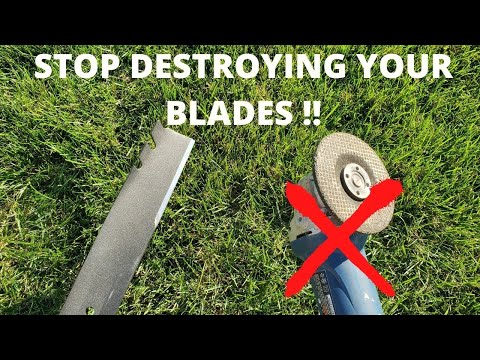
3.1 Blade Replacement, Cleaning, and Weekly Care Routine
Here’s the truth most people learn too late: uneven cutting isn’t a one-time problem—it’s what happens when maintenance slips.
Blades dull. Decks clog. Wheels wear down. And slowly, almost invisibly, your perfect lawn turns patchy again. The fix isn’t complicated. It’s consistency.
A simple weekly routine can prevent 90% of cutting issues:
- Check blades for wear, bending, or missing pieces
- Clean the underside of the deck to prevent buildup
- Remove debris from wheels and moving parts
- Wipe sensors and charging contacts
Industry guidance consistently shows that blades should be inspected every couple of weeks and replaced regularly, especially during heavy growth periods. Because once blades start tearing instead of cutting, your lawn will show it immediately.
Ten minutes of maintenance. Hours of frustration avoided.
3.2 Optimizing Mowing Schedule for Seasonal Growth Changes
Ever notice how your mower performs perfectly… until spring hits? That’s not a coincidence.
Grass growth isn’t constant. During warm, wet seasons, it accelerates fast. If your mower schedule doesn’t keep up, you’ll start seeing missed patches—even if everything else is working perfectly.
Here’s what happens:
- Grass grows faster than your mower can maintain
- The mower starts “chasing” growth instead of trimming it
- Random tufts appear, especially in fast-growing areas
The fix is simple—but critical:
- Increase mowing frequency during peak growth (spring/early summer)
- Extend daily runtime if your lawn is near the mower’s capacity
- Reduce frequency during slower growth periods
Robot mowers thrive on “little and often.” When you maintain that rhythm, the lawn stays even almost effortlessly. Break that rhythm? Patchiness returns. Fast.
3.3 Firmware Updates and Smart Settings That Improve Coverage
This is the part most people skip—and regret later. Your robot mower isn’t just hardware. It’s software on wheels. And outdated firmware can quietly sabotage coverage, navigation, and efficiency.
Missed patches aren’t always physical problems. Sometimes, they’re digital.
Common software-related issues include:
- Inefficient navigation patterns
- Zones being under-prioritized or ignored
- Edge cutting happening too infrequently
- Rain sensors limiting runtime more than expected
The digital maintenance checklist:
- Check for firmware updates regularly
- Review zone settings and ensure all areas get coverage
- Enable features like edge cutting or multi-zone scheduling
- Revisit your app settings after updates
Think of it like this: Same mower. Same lawn. Better software. Completely different results.
Conclusion
Uneven cuts and missed patches might feel like a dealbreaker—but in reality, they’re usually just a series of small, fixable issues stacking up.
Start simple. Check your blades. Clean the deck. Adjust your cutting height. Then move deeper—optimize your schedule, refine your setup, and make sure your mower has enough time (and the right conditions) to do its job.
Because here’s the truth: robot mowers don’t fail overnight. Performance fades when maintenance, setup, or scheduling falls out of sync. Dial those back in, and everything changes.
FAQ
Q: Why is my robot mower leaving patches of uncut grass?
A: This is typically caused by insufficient runtime, dull blades, or a clogged cutting deck. Most robot mowers use random navigation, so they require enough daily operation time to ensure every area is covered. Additionally, debris buildup can physically prevent the blades from reaching the grass effectively.
Q: How often should I replace my robot mower blades to ensure an even cut?
A: For optimal performance, blades should be inspected every two weeks and replaced every 1 to 2 months depending on grass density and lawn size. Dull blades tear rather than slice the grass, leading to an uneven, ragged appearance and visible patches across the lawn.
Q: Can wet grass cause my robot mower to miss spots?
A: Yes, wet grass tends to bend and clump, making it harder for the mower to cut cleanly. Furthermore, wet clippings can quickly accumulate under the mower deck, blocking airflow and reducing cutting efficiency, which results in missed patches and inconsistent height across your lawn.
Q: Why does my mower scalp some areas while leaving others long?
A: This usually indicates an issue with the cutting height setting or uneven terrain. If the height is set too low on a bumpy lawn, the mower will scalp high spots. Conversely, if the deck is clogged or the height adjustment mechanism is stuck, it won't maintain a consistent level.
Q: How does the mowing schedule affect lawn coverage?
A: Robot mowers rely on frequency to maintain a uniform look. During peak growing seasons like spring, you must increase the mowing frequency and daily runtime. If the grass grows faster than the mower's schedule allows, it will result in random tall tufts and missed sections.