

Segway Navimow i105N Review: Real-World Performance, Cut Quality, and Is It Worth It for Small Lawns?
Aaron Cooper
Review: Segway Navimow i105N
Quick Take: An impressive wire-free robotic mower that replaces tedious perimeter cables with precise RTK-GPS and AI vision mapping.
Best For: Small residential lawns up to 1/8 acre with moderate slopes and homeowners seeking a quiet, automated solution.
Keep in Mind: While it excels at convenience, the cut quality lacks the deep striping of heavy push mowers and requires clear satellite visibility for peak accuracy.
1. Introduction: Who Is the Segway Navimow i105N Really For?
If you’re searching for the Segway Navimow i105N, chances are you’re tired of dragging a mower around a small yard that shouldn’t take that long—but somehow always does. The i105N is a wire-free robotic mower designed for lawns up to 1/8 acre, built around RTK + Vision positioning instead of perimeter wires.
In this review, we’ll break down its core technology (EFLS 2.0), real-world cut quality, mowing time, setup experience, and overall value—based strictly on verified specs, hands-on video tests, and documented user feedback. No hype. Just what actually matters before you invest.
2. Core Technologies Explained: EFLS 2.0, RTK + Vision, and Wire-Free Mapping
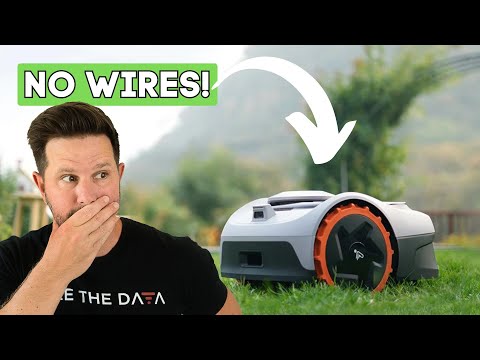
2.1 How EFLS 2.0 Combines RTK GPS and VisionFence for Centimeter-Level Accuracy
The biggest frustration with older robot mowers? Boundary wires. Digging, staking, troubleshooting breaks—it felt more like installing a dog fence than buying a smart appliance.
The Segway Navimow i105N eliminates that entirely using EFLS 2.0 (Exact Fusion Location System). At its core, this system blends RTK (Real-Time Kinematic) GPS—a satellite-based positioning technology used in surveying—with Visual SLAM (Simultaneous Localization and Mapping), which uses a 140° RGB camera to “see” and map its environment.
RTK handles wide-open areas with strong satellite signal. The camera steps in when signals weaken near fences, hedges, or partial tree cover. Segway describes this as delivering centimeter-level positioning accuracy, and the key benefit isn’t just precision—it’s consistency.
In simple terms: it doesn’t guess where your lawn ends. It knows.
2.2 AI-Assisted Mapping and Virtual Boundaries: Setup Without Perimeter Wires
Let’s talk about setup anxiety. Most homeowners hear “robot mower” and immediately think: How complicated is this going to be?
With the i105N, mapping happens through the Navimow app. You can manually guide it around your lawn (like driving a remote-control car) or let it perform AI-assisted mapping, where it identifies lawn edges automatically and builds the working area digitally.
Instead of burying wires, you create virtual boundaries inside the app. You can:
- Define mowing zones
- Create no-go areas (flower beds, trampolines, playsets)
- Connect multiple zones with safe channels
- Customize mowing schedules
The system supports up to 20 separate zones for tailored height and schedule adjustments. For small but segmented yards—front and back lawns, side strips, narrow corridors—that flexibility is huge.
There are also two boundary styles:
- Standard Boundary (stays inside the edge)
- Ride-on Boundary (straddles flat edges for closer cuts)
No trenching. No signal wire repairs. Just digital lawn management from your phone.
2.3 Obstacle Avoidance, Slope Handling (Up to 30%), and 58 dB Quiet Operation
A robot mower isn’t impressive if it only works on a golf-course-flat lawn.
The i105N uses VisionFence obstacle recognition, powered by its front 140° camera. According to product documentation, it can identify over 150 types of obstacles, including animals, tools, and everyday yard clutter. In real-world video tests, it successfully avoided toys and balls placed in its path—slowing, rerouting, and continuing without collision.
For pet owners, there’s also an Animal Friendly Mode that detects movement and maintains a safety buffer.
Slope capability is rated at 30% (17°). Combined with rear-wheel drive and large traction wheels, it handles moderate inclines confidently. However, like most robotic mowers, traction can decrease on wet grass.
Then there’s the noise factor. At just 58 dB(A), it’s dramatically quieter than traditional gas or even many battery push mowers. In testing footage, you can hold a normal conversation while standing nearby.
| Feature | Specification |
|---|---|
| Noise Level | 58 dB(A) |
| Max Slope | 30% |
| Weather Resistance | IP66 |
| Obstacle Types | 150+ recognized |
It doesn’t roar.
It hums.
And for busy homeowners, that difference feels like freedom.
3. Real-World Performance: Cut Quality, Obstacles, and Uneven Terrain
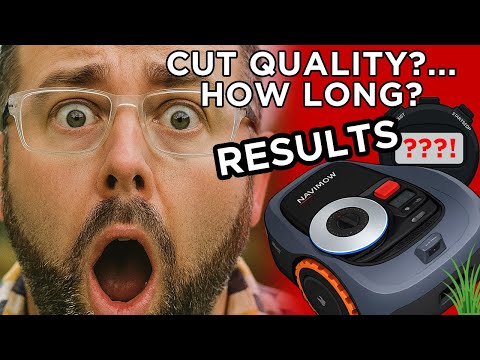
3.1 Cut Quality vs. a Traditional Push Mower: Why It Looks ‘Different’
Here’s the honest truth: if you expect thick, 20-inch-wide stripes like a traditional 80 lb push mower leaves behind, the i105N will look… different.
The Navimow uses a 7.1-inch cutting width and weighs about 24–25 lbs. That lighter weight means no heavy roller effect pressing dramatic stripes into the lawn. Instead, it leaves narrower track patterns and subtle caster-wheel impressions.
"The robot's cut rated around a 6.5 out of 10 compared to a 9 out of 10 push mower finish in overall appearance. It's about consistency over stripes."
Because it uses three small razor-style blades and lacks the suction lift of a gas mower, it can occasionally drive over a taller blade without cutting it on the first pass. However, it compensates by mowing frequently and alternating directions (horizontal, vertical, diagonal).
3.2 Performance on Bumpy Lawns, Toys, Pets, and Tight Passages
Real lawns aren’t showroom floors. They have dips, ruts, kids’ toys, drains, and uneven patches.
Pros
- Excellent obstacle detection for toys and pets
- Handles dry, moderate slopes with ease
- Systematic mowing patterns (no random ping-pong)
Cons
- Traction can struggle on wet grass
- May pause/reposition in deep gopher holes or ruts
- Requires at least 100cm width for narrow passages
The takeaway?
Flat to moderately uneven lawns: strong performance.
Extremely rough or highly irregular yards: expect occasional interventions.
3.3 Battery Runtime and Real Mowing Time per 1,000 sq ft
Now let’s talk about time—the part most marketing pages gloss over.
The i105N runs for up to 60 minutes per charge with a 90-minute recharge time. When the battery gets low, it automatically returns to its dock, recharges, and resumes exactly where it left off.
In controlled real-world tests:
- A 5,444 sq ft lawn required about three charging cycles (roughly 3 hours total mowing time)
- A larger 10,000 sq ft mapped yard took about 12 hours including charging breaks
That works out to roughly 1 hour per 1,000 sq ft under real mowing conditions. Compare that to a push mower doing the same space in about one hour total. Yes—it’s slower.
But here’s the shift in mindset:
You’re not trading speed for speed. You’re trading your time for automation.
5. Installation and App Setup: What First-Time Owners Should Know
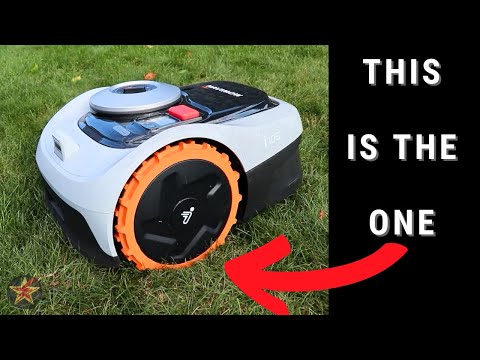
If the idea of “RTK antennas” and “mapping calibration” sounds intimidating, take a breath. The Navimow i105N is designed for homeowner installation—no trenching, no perimeter wire, no professional crew required.
That said, placement and setup choices matter. A smooth first install often determines whether your mower feels like magic… or like a tech project. Here’s how to get it right the first time.
5.1 RTK Antenna and Charging Station Placement Best Practices
Unlike older robotic mowers that rely on buried boundary wires, the i105N uses a GNSS (satellite) antenna + charging dock + mower trio. These three components work together to maintain positioning accuracy.
-
Step one: antenna placement.
The GNSS antenna must have a clear view of the sky. Open space is key. Avoid installing it directly under heavy tree canopy, metal roofs, or tight corners between buildings. During setup, the app analyzes signal strength and confirms when positioning quality is strong (you’ll see a blue indicator confirming good signal). -
Step two: dock placement.
The charging station should be positioned on level ground, close to a power outlet, and ideally near the antenna. It anchors into the lawn with included stakes. Before mapping, fully charge the mower to 100%. -
Step three: firmware update.
After Wi-Fi connection, the app checks for firmware updates automatically. Install updates before mapping. It ensures positioning, obstacle recognition, and navigation logic are fully optimized.
5.2 Mapping, Multi-Zone Setup, and Creating No-Go Areas in the App
Here’s where the magic happens.
After Bluetooth pairing and Wi-Fi connection through the Navimow app, you’ll create your lawn map. You have two options:
- Guided Mapping: Drive the mower along your lawn’s perimeter using your phone, like a remote-control car.
- AI-Assisted Mapping: Let the mower identify lawn edges and build the map automatically.
Before mapping begins, the system runs signal checks to confirm both GPS and antenna strength. Once confirmed, mapping starts.
Inside the app, you can:
- Define mowing boundaries (Standard or Ride-on modes)
- Create No-Go Zones for flower beds, trampolines, drains, or play areas
- Connect separate lawn sections with safe “channels”
- Merge zones later if needed
- Assign different schedules per zone
If your yard has a front and back section, narrow corridor, or detached lawn patch, this multi-zone system is critical. And because boundaries are virtual, adjustments are instant—no digging up wires to make changes.
You’ve essentially built a digital twin of your lawn. From that point on, mowing becomes software—not sweat.
6. Ownership Experience: Maintenance, Warranty, and Long-Term Value
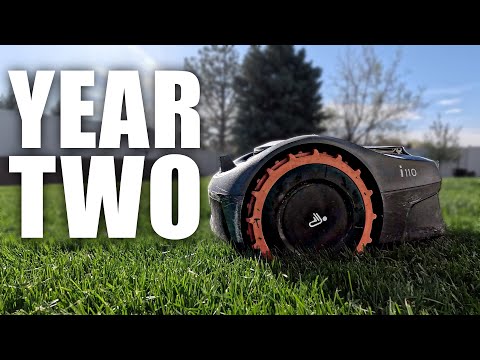
Buying a robot mower isn’t just about first-week performance. It’s about what living with it looks like after two months… or two seasons.
Blades wear down. Firmware updates roll out. Weather happens. Let’s break down what ownership really involves.
6.1 Blade Replacement, Cleaning, and Weather Considerations
Let’s start with maintenance anxiety. Traditional mowers mean oil changes, spark plugs, fuel stabilizers, winterizing. The i105N? Much simpler.
Cleaning is straightforward. With its IP66 weather resistance rating, the mower can be rinsed using a standard garden hose. High-pressure washers should be avoided. Grass buildup under the deck should be cleared periodically to prevent blade obstruction.
The mower does not use physical rain sensors. Instead, rain delay behavior is app-based and relies on weather data. You can configure drizzle sensitivity and delay duration directly in settings.
6.2 Warranty Coverage, Optional 4G Module, and Anti-Theft Features
In North America, the i105N carries a 3-year limited warranty for the unit and 2 years for the battery pack and power adapters. That’s longer than many entry-level robotic mowers in the same size class.
Security features include:
- GPS theft tracking
- Anti-theft alarm
- PIN code lock
6.3 Price-to-Performance: Is It Worth It Compared to Similar 1/8 Acre Models?
Is the Segway Navimow i105N actually worth it?
The regular retail price is $999, with promotional pricing observed as low as $679 on official listings. That places it competitively within the 1/8-acre robotic mower category.
| Feature | Segway Navimow i105N | Typical Wire-Based 1/8 Acre Models |
|---|---|---|
| Boundary System | Wire-free RTK + Vision | Physical perimeter wire |
| Setup Effort | App mapping | Manual wire installation |
| Noise Level | 58 dB | Often louder |
| Slope Rating | 30% (17°) | Varies |
| Smart App Control | Yes | Limited or basic |
| Warranty (NA) | 3 yrs unit / 2 yrs battery | Often shorter |
7. Conclusion: A Smart Choice for the Right Lawn
The Segway Navimow i105N isn’t trying to replace a commercial zero-turn mower. It’s built for small lawns where convenience matters more than dramatic stripes.
Pros
- Wire-free setup (no digging)
- 58 dB ultra-quiet operation
- EFLS 2.0 positioning and vision tech
- Excellent app control/scheduling
Cons
- Slower mowing cycles
- Depends on satellite visibility
- Less "stripe" aesthetic than heavy mowers
For small, moderately complex yards where automation beats aesthetics, the i105N makes a strong, practical case. Sometimes, the best lawn upgrade isn’t a better mower. It’s not mowing at all.
8. FAQ About the Segway Navimow i105N
Does the Segway Navimow i105N require boundary wires?
No. The i105N uses EFLS 2.0 (RTK + Vision technology) to create virtual boundaries through the app. No perimeter wire installation is required.
How loud is the Navimow i105N?
It operates at approximately 58 dB(A), which is quiet enough for nighttime or early-morning mowing without disturbing neighbors.
Can it mow at night?
Yes. Night mowing can be enabled in the app settings. Because it uses GPS positioning combined with vision-based obstacle detection, it can operate after dark.
Q: What is the maximum lawn size it can handle?
A: The i105N is designed for lawns up to 1/8 acre (approximately 500 m²).
How long does it take to mow 1,000 square feet?
Real-world testing indicates roughly 1 hour per 1,000 sq ft, including charging cycles.
What slopes can it handle?
It is rated for slopes up to 30% (approximately 17°).
What warranty coverage does it include?
In North America, the unit carries a 3-year limited warranty, while the battery and power adapters are covered for 2 years. Blades are considered consumables and are not covered.