
Robot Vacuum Buying Guide: How to Choose the Best Robot Vacuum for Your Home, Budget, and Floors
Aaron CooperReview: Robot Vacuum Buying Guide: How to Choose the Best Robot Vacuum for Your Home, Budget, and Floors
Quick Take: A comprehensive guide to navigating the complex market of automated floor care, focusing on mapping efficiency and dock automation.
Best For: Homeowners looking to understand the technical trade-offs between budget models and high-end flagship systems.
Keep in Mind: While these devices excel at daily maintenance and surface debris, they cannot fully replace the deep-cleaning power of a traditional upright vacuum.
1. Introduction
Robot vacuums have evolved from chaotic, bump-and-go discs into AI-powered cleaning systems with LiDAR mapping, obstacle avoidance, and self-emptying docks that can run for weeks without you touching them. But with prices ranging from under $200 to well over $1,500, choosing the right one can feel overwhelming.
In this guide, we’ll break down which models lead independent rankings, what you really get at each price tier, how they handle pet hair and carpets, and which features actually matter. And one reality check up front: robot vacuums are incredible for daily maintenance—but they still don’t fully replace a deep-cleaning upright.
2. Best Robot Vacuum Picks Based on Independent Testing
2.1 How Labs Test Robot Vacuums: Carpet, Hard Floors, Pet Hair, and Mopping
If you’ve ever wondered why one review says a robot is “amazing” and another says it’s “just okay,” the answer usually comes down to testing methodology.
Serious independent labs don’t rely on manufacturer suction claims. Instead, they embed sand into medium-pile carpet and weigh the dustbin before and after a timed run. They scatter rice, litter, and cereal across hard floors. They press coffee grounds into crevices. They flatten measured strands of pet hair into carpet and track how much gets removed in one or two passes. For mop combos, they apply controlled coffee and grape juice stains and score how quickly each stain disappears. Some even apply a “water penalty score” if too much moisture is left behind, since excess water causes streaking and can damage flooring based on standardized stain and water-residue scoring protocols.
Why does this matter? Because a robot advertising massive Pa numbers can still underperform if its brush design, airflow path, or software isn’t optimized. Data beats marketing. Every time.
2.2 Top Overall and Category Leaders in 2026 Rankings
When you zoom out and look at large-scale independent leaderboards, patterns emerge.
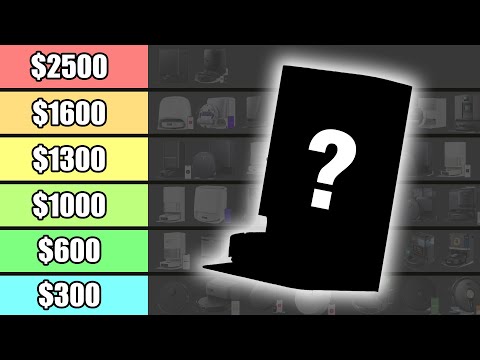
In the latest comprehensive rankings, the Dreame X60 Max Ultra Complete currently holds the #1 position with a Vacuum Wars Score of 4.05 stars, followed closely by the Dreame L50 Ultra and the Mova Mobius 60. These top-tier models combine self-empty stations, mop pad washing, lifting systems, obstacle avoidance, and active hair removal into one fully automated ecosystem.
For carpet-heavy homes, models like the Ecovacs Deebot N20 Pro (83%) and Roborock Saros 10R (82%) achieved some of the highest debris pickup scores in controlled carpet tests. Meanwhile, the Roborock Qrevo S5V stands out as a strong overall value, delivering around 80% carpet efficiency while also offering advanced mopping features.
Here’s a simplified snapshot:
| Model | Strength | Notable Feature Set |
|---|---|---|
| Dreame X60 Max Ultra Complete | Top overall score | Full-service dock, advanced obstacle avoidance |
| Dreame L50 Ultra | Premium balance | Mop lifting, extending brush, strong carpet results |
| Mova Mobius 60 | High suction flagship | Mop switching, threshold crossing |
| Roborock Saros 10R | Carpet performance | Advanced brush & obstacle avoidance |
| Roborock Qrevo S5V | Best value balance | Strong carpet + competitive mopping |
Important: rankings shift constantly due to firmware updates, pricing changes, and new releases. The “best” robot today may not hold that crown six months from now. Always check current pricing and positioning before buying.
2.3 Why Mapping and LiDAR Make a 40% Difference in Real Homes
Here’s the uncomfortable truth about cheap, non-mapping robots: they waste your time.
Robots with advanced mapping technology clean up to 40% faster and with fewer missed spots compared to random-navigation bots according to controlled mapping efficiency tests.
So what’s happening under the hood?
- LiDAR (Light Detection and Ranging): Uses a spinning laser to measure distances and create a 3D map of your home—think of it like echolocation for robots, but with light instead of sound.
- SLAM (Simultaneous Localization and Mapping): Combines that sensor data with movement tracking so the robot knows exactly where it is while building the map.
The result? Clean, methodical rows instead of chaotic bouncing. In contrast, non-mapping models rely on bump sensors and pattern algorithms. They don’t “remember” where they’ve cleaned. That means repeated passes in one area and missed debris in another.
If reclaiming 30–40% of your robot’s cleaning time sounds better than watching it ping-pong under your coffee table, mapping isn’t optional—it’s essential.
3. Robot Vacuum Price Tiers: What You Gain (and Lose) at Each Budget
3.1 Budget Models ($200–$500): Basic Suction and Simple Navigation
Let’s start with the good news: budget robot vacuums are better than they’ve ever been.
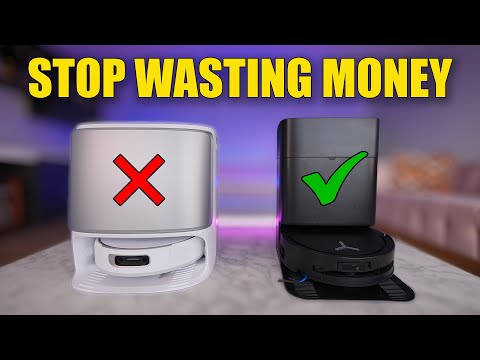
In the $200–$500 range, you’ll typically see suction advertised around 8,000 Pa, basic LiDAR or gyroscope-based navigation, and simple app scheduling. Some even offer entry-level self-empty docks—but with smaller dust storage that requires more frequent bag changes.
Pros
- Slim designs (like Lefant M210, Eufy RoboVac 11S Max)
- Capable on hard floors
- Incredible value for small apartments
Cons
- No advanced obstacle avoidance (socks/cords cause issues)
- Basic manual mopping
- Inconsistent edge cleaning
For a 600-square-foot apartment with no pets? Totally reasonable. For a multi-room home with shedding dogs and thick carpets? You’ll likely outgrow it fast. Budget bots are about maintenance cleaning—not perfection.
3.2 Mid-Range ($500–$1000): The Sweet Spot for Self-Empty and Smart Mapping
This is where things get interesting.
Between $500 and $1,000, you start seeing the features that truly change your daily life: larger self-empty docks, stronger suction (often in the 12,000–18,000 Pa range), room-specific cleaning, no-go zones, and improved obstacle detection.
- Roborock Q7 M5+: Compact self-empty dock with a 2.7-liter bag; supports multi-floor storage and intuitive app customization.
- Tapo RV30 Max Plus: Competitive pickup with a larger 3-liter dock bag, often at a lower street price.
What’s the real difference compared to budget models? You stop babysitting the robot.
Instead of emptying a dustbin every other run, you empty a bag every month or two. Instead of hoping it cleans the dining room, you tap “Dining Room” in the app. Instead of random wandering, you get precise, repeatable paths.
4. Advanced Features Explained: Self-Empty Docks, Mop Systems, and Smart Home Control
4.1 Self-Empty and Full-Service Docks: From 60-Day Bins to Hot-Water Washing
If you’ve ever emptied a robot vacuum’s tiny dustbin after every other run, you know how quickly the “automation” illusion breaks.
Self-empty docks change that completely. After finishing a cleaning cycle, the robot returns to its base and a powerful suction motor inside the dock pulls debris from the onboard bin into a larger sealed bag. Models like the Roborock Q7 M5+ use a 2.7-liter bag designed to last several weeks under typical use. Some Shark models advertise up to 60-day capacity bases, reducing how often you even think about dust disposal.
Move into higher tiers, and the dock becomes a full-service station. Premium systems can wash mop pads, dry them with heated air, and even use hot water for deeper cleaning. Shark’s higher-end bases, for example, include heated mop pad wash and dry cycles designed to reduce bacteria and odors.
There’s also an emerging alternative: onboard dust compression. Instead of transferring debris into a dock bag, some robots compact dust internally to extend emptying intervals. That means a smaller base footprint—but still fewer trips to the trash can.
4.2 Roller vs Spinning Mop Pads vs Sonic Mops
Not all mopping systems are created equal—and this is where marketing can get confusing fast.
| Mop Type | Cleaning Mechanism | Best For |
|---|---|---|
| Fixed Pads | Passive dragging of damp cloth | Light maintenance |
| Spinning Pads | Dual rotating discs with downward pressure | Dried mud and stubborn stains |
| Roller Systems | Continuous cylindrical scrubbing | Hard floors (Ecovacs/Narwal) |
| Sonic Vibration | High-frequency agitation (Roborock) | Surface grime on hard floors |
In independent mopping tests, robots like the Mova P50 Ultra and Dreame L40S Ultra CE delivered results that rivaled far more expensive flagships, especially on dried mud-style stains. That spinning action makes a visible difference on tile and sealed hard floors.
If your home is mostly hardwood or tile, investing in a strong spinning or roller system makes sense. If you’re carpet-heavy, prioritize vacuum performance and mop lifting over fancy scrubbing tech.
4.3 App Quality, Voice Assistants, and Matter Integration
Hardware gets the spotlight—but the app determines whether you love or hate your robot.
- Create multi-floor maps and 3D storage.
- Draw no-go zones and virtual boundaries.
- Schedule specific rooms and adjust suction levels.
- Monitor cleaning history and accessory lifespan.
Voice assistant support is now standard across most major brands. Alexa and Google Home integrations typically allow start/stop commands and, in many cases, room-specific cleaning (“Clean the kitchen”). Siri compatibility exists on select models.
Matter protocol support—the new smart home standard—is appearing in select flagship models. It allows deeper local smart home integration, particularly appealing for advanced users running platforms like Home Assistant. In practice, Matter support remains limited to certain premium robots, but it’s a sign of where the industry is heading.
Imagine saying, “Alexa, clean the dining room,” and hearing the soft whir of a robot gliding into action while you continue cooking dinner. That’s not a gimmick. That’s reclaimed time.
5. Choosing the Right Robot Vacuum for Your Home Layout and Lifestyle
5.1 Small Apartments vs Multi-Story Homes
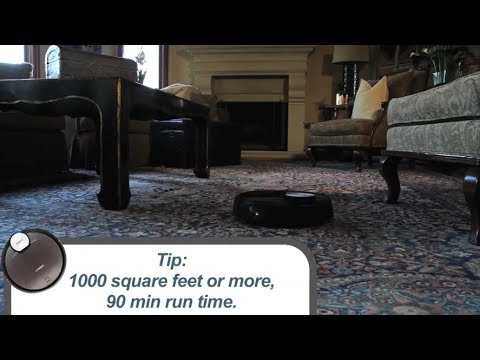
A robot vacuum in a 600-square-foot studio feels like magic. Most modern robots can clean up to 100 square meters on a single charge under normal conditions.
In multi-room homes, mapping becomes essential. You’ll want room-specific cleaning and recharge-and-resume capability—where the robot returns to the dock, recharges, and then continues exactly where it left off.
One limitation remains universal: stairs. No robot vacuum currently cleans them. In multi-story homes, you either move the robot manually or use a hybrid strategy—robot for main floors, cordless stick vacuum for stairs and tight areas.
5.2 Pet Households, Mixed Flooring, and High Thresholds
Pet hair changes the game. On carpets, the average pet hair pickup across dozens of tested models sits around 77% after two runs. That means brush design matters.
Pet-Friendly Features
- Anti-tangle systems like TriCut brushes.
- Rubber rollers (resist tangles better than bristles).
- Advanced obstacle avoidance for "pet accidents."
Common Challenges
- High thresholds can still trap many models.
- Hair wrapping on side brushes requires manual removal.
- Moisture on area rugs from inadequate mop lifting.
Cluttered homes benefit massively from advanced obstacle avoidance. In independent object-avoidance tests, scores vary widely. Some mid-tier robots avoid shoes and cables effectively. Others will push them around—or worse. If you don’t want to pre-clean your floors every day, obstacle avoidance is worth prioritizing.
5.3 Maintenance, Lifespan, and Long-Term Ownership Costs
On average, robot vacuums last about 4–6 years with proper maintenance. Battery degradation typically begins after 400–500 charge cycles, which can translate to roughly 2–5 years.
Routine maintenance Checklist:
- Clean brushes and filters weekly.
- Empty bins (or replace dock bags) as needed.
- Replace filters and brushes every 6–12 months.
- Wipe sensors monthly.
- Install firmware updates when prompted.
Replacement parts are widely available from major brands. For example, iRobot offers replacement dirt disposal bags in 3-packs and replenishment kits. Self-empty docks introduce additional consumables—dust bags and sometimes cleaning solutions—adding small recurring costs.
6. Conclusion: The Best Robot Vacuum Is the One That Matches Your Floors and Routine
There is no universal “best” robot vacuum. The right choice depends on your flooring, your pets, your clutter level, and how hands-off you want to be.
- Mapping & LiDAR: Dramatically improve efficiency.
- Brush Design: Matters more than raw suction numbers.
- Self-Empty Docks: Transform convenience from daily to monthly tasks.
- Mop Systems: Game-changing for hard-floor heavy homes.
And remember the golden rule: robot vacuums are maintenance cleaners. They keep your home consistently tidy, but they don’t replace deep seasonal carpet cleaning.
FAQ
Q: Is LiDAR navigation worth the extra cost over standard sensors?
A: Yes, LiDAR-equipped robots clean up to 40% faster and provide more consistent coverage by creating precise 3D maps and cleaning in methodical rows rather than random patterns.
Q: How often do I need to replace the dust bags in a self-empty dock?
A: Most self-empty docks use 2.5L to 3L bags that typically last between 30 to 60 days, depending on your home's square footage and the amount of pet hair present.
Q: Can robot vacuums effectively clean thick carpets and pet hair?
A: While they are excellent for daily maintenance, independent tests show even top models pick up about 77-83% of embedded carpet debris, meaning an occasional deep clean with a manual vacuum is still recommended.