
How to Fix ‘Out of Water’ Error on Aiper Seagull Pro: Step-by-Step Troubleshooting Guide
Aaron Cooper1. Introduction
You drop your Aiper Seagull Pro into the pool, expecting that satisfying, hands-free clean… and then it stops. The dreaded “Out of Water” error pops up, killing the entire cycle before it even gets going. Frustrating doesn’t even begin to cover it.
The good news? In most cases, this isn’t a serious failure—it’s your robot trying to protect itself. This guide walks you through what that error actually means, why it happens (even when your cleaner is clearly underwater), and the simple, practical fixes that can get it back to doing what it’s supposed to do: cleaning your pool while you do literally anything else.
2. What the "Out of Water" Error Actually Means
2.1 Built-in Water Detection and Overheating Protection
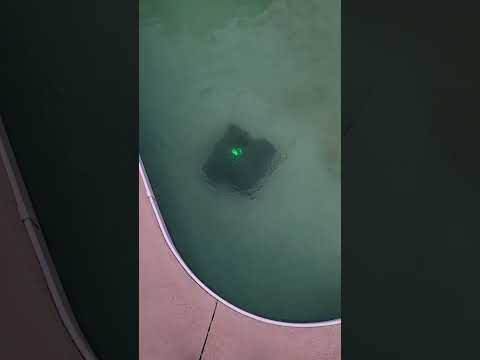
At first glance, the error feels almost insulting. The robot is sitting in a full pool… so how could it possibly think it’s “out of water”?
Here’s what’s really happening. The Aiper Seagull Pro is designed with a built-in safety system that detects whether it’s submerged. Why? Because running a pool robot dry isn’t just inefficient—it can cause overheating and internal damage. That’s why operating the cleaner out of water may lead to overheating, and the device actively prevents that scenario.
So when you see this error, the robot isn’t necessarily broken. It’s being cautious. In many cases, the issue isn’t the hardware—it’s that the robot believes it’s not properly submerged, even when it is.
2.2 How Pool Conditions Can Trigger False Alerts
Now here’s where things get tricky—and where most pool owners get stuck.
Even if your Seagull Pro is fully in the water, certain conditions can confuse its detection system. One of the biggest culprits? Running multiple pool systems at the same time. There’s a clear guideline that you should avoid operating the pool cleaner and filtration system simultaneously, because water flow and turbulence can interfere with how the robot senses its environment.
Other subtle factors can also play a role:
- Air trapped inside the unit during startup
- Uneven placement when first entering the pool
- Rapid movement or turbulence near the surface
The result? A false “Out of Water” alert that stops your cleaning cycle before it even begins. It feels like a glitch—but more often than not, it’s just a setup issue in disguise.
3. Step-by-Step Troubleshooting for the Error
3.1 Ensure Proper Submersion Before Startup
This is the simplest fix—and surprisingly, the one most people overlook.
If the Seagull Pro isn’t fully submerged the right way when it starts, it may never correctly register that it’s underwater. That’s when the error shows up instantly, even in a full pool.
Follow these steps for a perfect start:
- Lower the robot slowly into the water, not just drop it in.
- As it goes under, watch for air bubbles escaping. That’s trapped air leaving the system.
- Wait until the bubbling has stopped completely.
- Don’t power it on until it’s completely settled below the surface.
It’s a small adjustment. But it can be the difference between a flawless cleaning cycle and a robot that quits before it even starts.
3.2 Avoid Interference from Pool Equipment
If your cleaner keeps throwing the same error despite proper submersion, look around—your pool system might be the real problem.
"A calmer pool environment doesn’t just prevent errors; it allows the robot to clean more consistently, without fighting against artificial currents the entire time."
Running the pool pump, filtration system, or strong water features at the same time can create turbulence that interferes with detection. The robot relies on relatively stable water conditions to “understand” where it is.
For troubleshooting, try this: run the Seagull Pro completely on its own. Turn off other systems temporarily and let it operate in calm water. If the error disappears, you’ve found your culprit.
3.3 Restart and Basic System Checks
Sometimes, the fix is refreshingly low-tech. Like most smart devices, the Seagull Pro can occasionally glitch. A quick restart can reset internal systems and clear temporary errors.
| Checklist Item | Action Required |
|---|---|
| Power Cycle | Power the unit off completely and wait before turning it back on. |
| Battery Level | Check that the battery is properly charged to support full operation. |
| Contacts | Inspect charging contacts for dirt, debris, or corrosion. |
Across common troubleshooting scenarios, simple resets and connection checks often resolve unexpected behavior—especially when paired with ensuring proper setup conditions. If the robot suddenly works again after a restart, you’re not imagining things. It just needed a clean slate.
4. Possible Root Causes Behind Recurring Errors
4.1 Sensor or Detection System Issues
If you’ve done everything “right”—proper submersion, no interference, clean startup—and the error still keeps coming back, it’s time to look a little deeper.
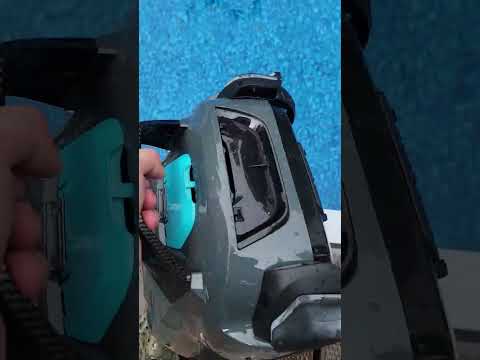
At the heart of the Seagull Pro is its water detection system. That’s the component deciding whether it’s safe to run or not. And here’s the frustrating part: there’s very little publicly documented detail about how this system works or where exactly those sensors are located.
But patterns from real-world usage point to a few likely culprits.
This is why the issue can feel inconsistent. One day it works perfectly. The next? Instant error.
If your cleaner behaves like this, you’re not dealing with randomness—you’re dealing with a sensitive detection system reacting to subtle environmental changes. And yes, it can be that picky.
4.2 Battery, Connectivity, or General Hardware Factors
Here’s something most people don’t expect: sometimes the “Out of Water” error isn’t really about water at all.
When the battery isn’t performing properly, or when internal systems don’t initialize correctly, the robot can behave unpredictably. Based on common troubleshooting patterns, issues like incomplete charging, dirty charging contacts, or aging batteries can all disrupt normal operation.
And it doesn’t stop there.
Connectivity glitches—like app sync problems or failed startups—can also interfere with how the robot begins its cleaning cycle. If initialization fails, the system may default to a protective error state rather than risk running incorrectly.
Think of it like a car that refuses to start and throws a warning light that doesn’t quite match the problem. Annoying? Absolutely. But it’s often a symptom, not the root cause.
If your Seagull Pro shows multiple quirks—short run times, inconsistent starts, or connection hiccups—don’t ignore them. The “Out of Water” message might just be the tip of the iceberg.
4.3 When It Might Be a Hardware Failure
So how do you know when this stops being a quick fix… and starts becoming a real problem?
If the error appears immediately every time—regardless of setup, environment, or restart attempts—that’s a red flag. Especially if:
- The robot never begins a cleaning cycle
- The error persists in calm, controlled conditions
- Basic troubleshooting has zero effect
At that point, you’re likely dealing with something internal—possibly a faulty sensor, sealing issue, or another hardware-related failure.
And here’s the honest truth: this isn’t something you can reliably fix on your own.
The Seagull Pro is designed as a sealed, cordless system. That’s great for convenience—no hoses, no external pumps—but it also means limited access for DIY repairs.
Because at the end of the day, this robot is supposed to save you time—not eat up your entire weekend.
5. When to Contact Aiper Support (and Why It Matters)
5.1 Using Official Manuals, FAQs, and Support Videos
There’s a point in every troubleshooting journey where guessing stops being helpful.
And with a device like the Seagull Pro—where internal systems aren’t fully documented—that point comes sooner than you might expect.
If you’re stuck, your best move isn’t another random fix from a forum. It’s going straight to the source.
Aiper provides a dedicated help center with model-specific FAQs and troubleshooting guidance. Instead of piecing together scattered advice, you can rely on official troubleshooting resources designed specifically for the Seagull series.
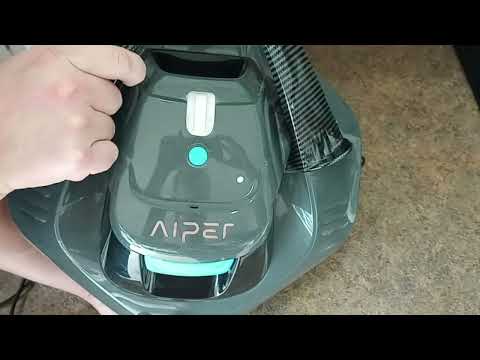
Even better, their support video library walks through common maintenance and setup scenarios visually. That matters more than you think. Sometimes, seeing exactly how the robot should behave—how it’s submerged, how it starts, how it moves—reveals what went wrong instantly.
5.2 Accessing 24/7 Customer Support and Warranty Help
Let’s be real—no one buys a robotic pool cleaner to become their own repair technician.
If the error keeps coming back, or if something just feels off, reaching out to support isn’t overkill. It’s efficient.
Aiper offers 24/7 customer support, which means you’re not stuck waiting days just to figure out your next step. Whether it’s diagnosing the issue, confirming a potential defect, or guiding you through warranty options, their team can help you move forward faster.
And this part matters more than most people realize.
If your unit is still under warranty, trying to force a fix yourself could actually complicate a replacement or repair claim later. Getting official confirmation protects you—and your investment.
So if you’ve:
- Tried the basic fixes
- Ruled out setup issues
- Noticed repeated or worsening behavior
That’s your signal.
Stop troubleshooting. Start escalating.
Because the goal isn’t just to fix the robot—it’s to get back to a pool that cleans itself, without the constant second-guessing.
6. Conclusion
The “Out of Water” error on the Aiper Seagull Pro feels like a breakdown—but in most cases, it’s actually a safeguard doing its job.
More often than not, the cause comes down to setup details, water conditions, or minor system hiccups—not catastrophic failure. A slow submersion, calmer pool environment, or simple restart can often bring the robot right back to life.
But when the issue keeps returning, it’s a signal—not to keep guessing—but to dig deeper or involve official support.
Start simple. Rule out the obvious. Then escalate when needed.
Because once it’s working properly, the Seagull Pro goes back to what it does best: quietly handling one of the most time-consuming chores you have… so you don’t have to.
FAQ
Q: Why does my Aiper Seagull Pro say out of water when it is submerged?
A: This false alert is often caused by air trapped inside the unit or high water turbulence from pool pumps. Ensure you submerge the robot slowly to let air bubbles escape and turn off the filtration system during operation to provide a stable environment for the sensors.
Q: How do I properly submerge the Aiper Seagull Pro?
A: Lower the robot slowly into the water rather than dropping it. Wait until all air bubbles have stopped rising to the surface before powering the unit on. This ensures the internal water detection sensors correctly identify that the machine is fully underwater and safe to operate.
Q: Can I run my pool pump while the Seagull Pro is cleaning?
A: It is recommended to avoid operating the pool filtration system and the robot simultaneously. Strong currents and water flow from the pump can interfere with the robot's built-in sensors, potentially triggering false 'Out of Water' error codes or reducing overall cleaning efficiency.
Q: Will a restart fix the Aiper Out of Water error?
A: A basic system reset can resolve temporary software glitches. Power the unit off completely, check the charging contacts for debris, ensure the battery is charged, and restart the device. If the error persists in calm water after a restart, there may be a hardware sensor issue.
Q: When should I contact support for this error?
A: If the 'Out of Water' message appears immediately every time you start the unit, despite proper submersion and calm water conditions, it likely indicates a hardware failure. In these cases, contact official support to discuss warranty options and avoid attempting complex internal DIY repairs.