
Why Is My Robotic Pool Cleaner Floating Instead of Sinking? Causes, Fixes & Easy Troubleshooting Guide
Aaron Cooper1. Introduction
You drop your robotic pool cleaner into the water… and instead of diving down like it should, it just floats there. Useless. Drifting. Not cleaning a thing.
Frustrating? Absolutely. But here’s the good news: in most cases, this isn’t a “buy a new robot” problem—it’s a fixable issue. Floating is usually caused by something simple like trapped air, a clogged system, or even subtle changes in your pool conditions.
2. The #1 Reason Your Robotic Pool Cleaner Is Floating: Trapped Air
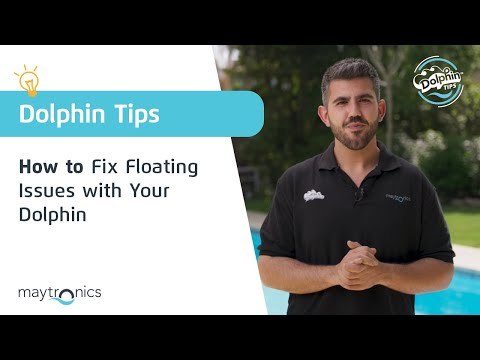
2.1 How Trapped Air Affects Buoyancy and Cleaning Performance
If your robot is floating, there’s one cause that shows up again and again: air trapped inside the unit.
Think of your pool cleaner like a sealed container. When air gets stuck inside, it acts like a built-in flotation device. Instead of gripping the pool floor, the cleaner becomes “lighter” in the water—and suddenly, it can’t stay submerged or maintain proper traction.
This doesn’t just affect sinking. It kills cleaning performance. Without enough downward force, the robot struggles to move properly, misses debris, and may even hover awkwardly near the surface.
There are a few telltale signs:
- Small bubbles clinging to the robot’s exterior
- A unit that refuses to fully submerge
- Visible deformation like a slightly bowed housing
According to manufacturer support insights, air trapped inside the robot directly increases buoyancy and causes floating, making this the single most common root cause.
In short: no matter how powerful your cleaner is, if air is inside, it won’t clean. Period.
2.2 Common Ways Air Gets Inside the Robot
So how does air even get in there in the first place? It’s usually not dramatic—it’s subtle and easy to overlook.
Over time, wear and tear can make things worse. Aging seals, tiny gaps, or worn components can allow air to sneak in and stay there. It’s not always visible, but the effect is immediate—your robot starts behaving like it’s half-filled with air.
Another sneaky factor? Surface bubbles. If your pool has a lot of micro-bubbles (from returns or chemicals), they can cling to the robot’s body and increase buoyancy even further. It sounds minor, but it adds up fast.
The result is the same every time: your cleaner loses its “wet weight”—that carefully engineered balance that keeps it planted on the pool floor.
2.3 Quick Fix: How to Release Air Properly
Here’s the part most people get wrong: just tossing the robot back in the pool doesn’t fix trapped air. You need to actively remove it.
The fix is simple—but you have to do it right.
- Start by slowly lowering the cleaner into the water instead of dropping it in.
- Once it’s submerged, tilt it side to side and gently rotate it.
- Flip it upside down with the intake openings facing upward.
- Watch closely for bubbles escaping.
- Let it sit for a few seconds until the bubbling stops, then release it.
It takes less than a minute. But the difference? Immediate. No tools. No parts. Just physics working the way it should.
3. Other Hidden Causes That Make Your Pool Robot Float
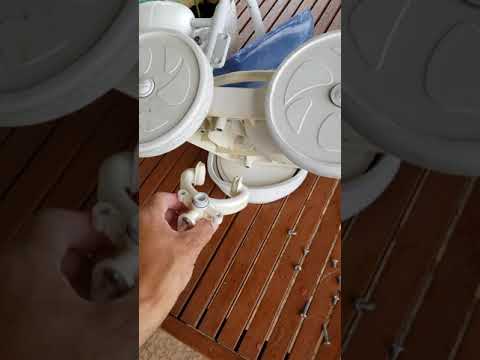
3.1 Low Water Level and Its Impact on Balance
Here’s something most pool owners don’t expect: your cleaner can start floating even if nothing is “wrong” with the robot itself.
If your pool water level drops—even slightly—it changes everything. We’re talking just an inch or two below the skimmer line. That’s enough to throw off the robot’s balance.
Robotic cleaners are designed with a very specific “wet weight,” meaning how heavy they feel underwater. When the water level is too low, that balance shifts. The robot may not fully submerge during certain movements, especially when turning or climbing.
The result? It starts to feel lighter. Less stable. More float-prone.
3.2 Dirty or Clogged Filters Reducing Downforce
Now imagine trying to vacuum your home with a completely clogged filter. Weak suction, poor performance, and a lot of frustration. The same thing happens inside your pool robot.
When the filter system gets packed with debris—fine dirt, sand, algae—the internal water flow drops. And that flow is critical. It’s what helps create the downward force that keeps the robot planted on the pool floor.
When flow is restricted, the cleaner loses traction. It doesn’t “stick” to surfaces the way it should. Instead, it starts to feel lighter and may even float or drift unpredictably.
3.3 Pool Chemistry Issues (Especially Salt Levels)
This one surprises a lot of people: your water itself might be the reason your robot won’t sink.
In saltwater pools, higher salt levels increase water density. And denser water makes everything more buoyant—including your pool cleaner. If salt concentration creeps too high, your robot can start floating even if it’s working perfectly otherwise.
Guidance from manufacturer sources suggests keeping salt levels below the recommended threshold of 5,000 ppm to avoid buoyancy issues like this.
And it’s not just salt. Imbalanced chemicals can also create excess micro-bubbles, which cling to the robot and make things worse.
3.4 Worn Brushes, Parts, or Internal Wear
If your robot has been running season after season, wear and tear can quietly turn into performance issues—including floating.
Brushes are a big one. As they wear down, they lose grip. That reduces the robot’s ability to stay grounded, especially on smooth pool surfaces. Less grip means more slipping—and more floating.
Signs of Good Condition
- Brushes have deep treads
- Seals are tight and pliable
- Unit stays firmly on the floor
Signs of Wear
- Brushes appear smooth or flattened
- Visible gaps in housing seals
- Robot struggles to climb walls
If you’ve already ruled out air, filters, and water conditions, it might be time to inspect for wear. Replacing brushes or worn parts is often enough to bring your robot back to life—without jumping straight to a full replacement.
4. Step-by-Step Troubleshooting Checklist to Fix a Floating Pool Robot
4.1 Start with the Basics: Submerge, Clean, and Reset
Let’s start simple—because in many cases, the fix really is that simple.
Picture this: you drop your robot in, it floats, and your first instinct is to assume something’s broken. But most of the time, it’s just air and surface conditions working against you.
- Submerge properly: Begin by slowly submerging the cleaner instead of tossing it in.
- Release trapped air: Once underwater, tilt it side to side, then flip it upside down with the intake facing up. Watch for bubbles escaping—that’s trapped air leaving the system. When the bubbles stop, you’re good.
- Rinse micro-bubbles: Next, check the exterior. If you see tiny bubbles clinging to the shell, rinse them off. It sounds minor, but those micro-bubbles can add just enough lift to keep the unit from sinking properly.
- System Reset: Finally, reset the cleaning cycle. Power it off, wait a moment, then restart.
This entire process takes under a minute. But when done right, you’ll see the difference immediately: instead of hovering uselessly, your robot drops. Locks in. Starts cleaning.
4.2 Deep Clean the Filter and Check Water Flow
If your robot still feels “light” in the water, the next suspect is internal flow.
Here’s the thing most people miss: your robotic cleaner doesn’t just move—it relies on water circulation inside the unit to create stability. When that flow drops, so does its ability to stay planted on the pool floor.
Give it a thorough rinse. Not a quick splash, but a proper clean where water runs freely through the filter again.
Why does this matter so much? Because a clogged filter reduces internal flow and weakens the downward force that keeps the robot stable. Less flow = less grip = more floating.
Once cleaned, reassemble and run another cycle.
You’ll often notice two immediate changes: smoother movement and stronger contact with the pool floor. It doesn’t just clean better—it behaves the way it was designed to.
4.3 Verify Pool Conditions: Water Level, Salt, and Pump Settings
Now zoom out for a second. What if the robot isn’t the problem at all?
- Water Level: If it’s even slightly below the ideal line, your cleaner’s balance can shift. That carefully engineered “wet weight” gets thrown off, and suddenly the robot struggles to stay submerged during turns or climbs.
- Pool Chemistry: Check your pool chemistry—especially if you’re running a saltwater system. High salt levels increase buoyancy, making it easier for the robot to float. Keeping levels within the recommended range isn’t just about water quality—it directly affects how your cleaner behaves.
- Pump Settings: Finally, consider your pump setup. If you’re using a variable speed pump, extremely high settings can create pressure imbalances in the water, which may interfere with how the robot maintains position.
Dial things back to normal operating conditions and test again.
When everything is balanced—water level, chemistry, and circulation—the robot doesn’t fight the environment anymore. It works with it. And that’s when it performs at its best.
5. Is It a Bigger Problem? When to Repair or Replace Your Pool Cleaner
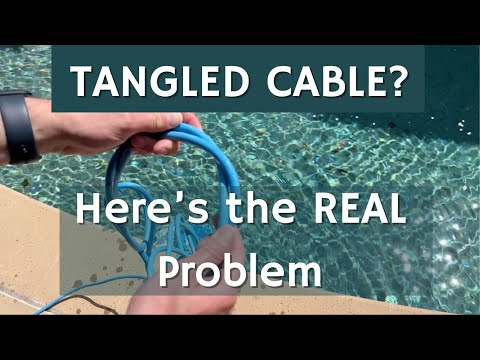
5.1 Signs Your Robot Has Internal Damage
If you’ve tried everything—released air, cleaned filters, balanced the pool—and your robot still floats, it’s time to look deeper.
At this point, floating isn’t just an annoyance. It’s a symptom.
Red Flags to Watch For:
- Persistent buoyancy no matter what you do.
- Visible deformation, like a housing that appears slightly bowed outward (can indicate internal air pressure or structural issues).
- A drop in overall performance: weaker movement, inconsistent cleaning paths, or the robot struggling to stay grounded even briefly.
According to manufacturer support guidance, these signs often point to internal problems that aren’t fixable with routine maintenance. If air keeps getting trapped despite proper handling, something inside may no longer be sealing correctly.
And here’s the hard truth: once internal integrity is compromised, the problem tends to repeat. Over and over.
5.2 When Replacing Parts Makes More Sense Than Fixing
Before you jump straight to replacing the entire unit, take a step back. Not every issue means the robot is done for.
In many cases, the problem comes down to wear parts—things designed to degrade over time.
| Wear Part | Impact on Stability |
|---|---|
| Brushes | Lose grip and traction on pool floor |
| Filters | Clog faster, reducing internal downward flow |
| Seals | Wear out, leading to unpredictable behavior |
The good news? These parts are usually replaceable. Swapping out worn brushes can restore traction. A fresh filter improves internal flow. Even small maintenance updates can bring back that “planted” feeling on the pool floor.
Think of it like replacing tires on a car. You wouldn’t junk the whole vehicle just because the grip is gone.
If your robot is otherwise functioning well, a targeted refresh is often the smartest move—both financially and practically.
5.3 Upgrade vs Repair: Making the Right Call
So when does it stop making sense to fix—and start making sense to replace?
It comes down to three things: age, frequency of issues, and performance decline.
Repair It
- This is your first real problem.
- The unit has been historically reliable.
- Cost of parts is significantly lower than a new unit.
Upgrade It
- Repeated issues week after week.
- Older unit with degrading materials and weakened seals.
- Constant attention is required, wasting your personal time.
Because at some point, the real cost isn’t parts—it’s your time. And the whole point of owning a robotic cleaner is to get that time back.
6. Conclusion
A floating robotic pool cleaner might feel like a major failure—but in most cases, it’s anything but.
The root cause is usually something simple: trapped air, a dirty filter, or subtle changes in your pool’s water level or chemistry. Fix those, and your cleaner often goes right back to doing its job—quietly scrubbing the floor while you do literally anything else.
But if the problem keeps coming back, don’t ignore it. Persistent floating is often a sign of wear or internal issues that basic troubleshooting can’t solve.
The bottom line? Stay on top of maintenance, keep your pool conditions balanced, and address small issues early. Do that, and your robot will spend less time floating—and more time actually cleaning.
FAQ
Q: Why is my robotic pool cleaner floating instead of sinking?
A: The most common reason is trapped air inside the unit. Other factors include clogged filter canisters reducing downward force, high salt levels increasing water density, or a low pool water level that disrupts the machine's engineered balance and buoyancy.
Q: How do I get the air out of my pool robot?
A: Submerge the cleaner slowly and tilt it from side to side. While underwater, turn the unit upside down with the intake facing up to allow air bubbles to escape. Once the bubbling stops, the robot should sink naturally to the pool floor.
Q: Can pool chemicals cause my pool robot to float?
A: Yes, specifically high salt concentrations. If salt levels exceed 5,000 ppm, the water becomes denser and more buoyant, which can prevent the robot from staying submerged. Imbalanced chemicals can also create micro-bubbles that cling to the robot's exterior.
Q: Does a dirty filter affect how the robot sinks?
A: Absolutely. Robotic cleaners rely on internal water flow to create a downward force that keeps them planted. When filters are clogged with fine debris or algae, this flow is restricted, causing the unit to lose traction and drift upward.
Q: Why does my robot float only when it tries to climb walls?
A: This is often due to worn brushes or a low water level. If the brushes lack grip or the water level is too low, the robot loses its "wet weight" balance during the transition from floor to wall, leading to floating.