
How Often Should You Replace Robot Lawn Mower Blades? Exact Timing, Signs & Lifespan Tips
Aaron Cooper1. Introduction
If your robot mower is the quiet hero keeping your lawn perfect while you sip coffee, the blades are the unsung villains when things go wrong. Dull blades don’t just “cut worse”—they tear grass, stress your lawn, and quietly overwork your robot. That’s when you start seeing brown tips, uneven patches, and longer mowing cycles.
So how often should you actually replace them? And more importantly—how do you know before your lawn starts looking rough? In this guide, you’ll learn the real-world replacement timeline, the warning signs most people miss, and how to stretch blade life without sacrificing that clean, carpet-like finish.
2. Recommended Replacement Schedule: How Often Should You Change Robot Mower Blades?
2.1 The Standard Rule: Every 6–8 Weeks for Most Homeowners
Let’s start with the baseline most homeowners are looking for: a clear, no-guesswork answer.
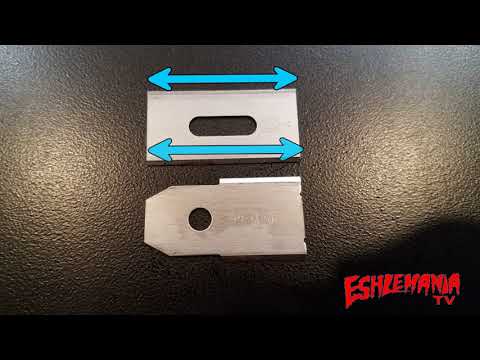
Across major manufacturers and expert guidance, the sweet spot consistently lands at every 6–8 weeks (about 1–2 months) for typical residential use. Brands like Husqvarna, Segway, and Mammotion all converge around this window because it balances performance with convenience. In fact, guidance for models like Automower explicitly recommends replacing blades every 6–8 weeks to maintain optimal cut quality.
And here’s the part most people underestimate: dull blades don’t just make your lawn look slightly worse. They tear the grass instead of slicing it cleanly, which can lead to browning, stress, and even disease over time.
If your goal is that soft, even, “barefoot-friendly” lawn? This 6–8 week rhythm is your safest bet. Set it, forget it, and enjoy the results.
2.2 When the Timeline Shifts: 3–12 Week Range Explained
Now here’s where reality kicks in—your lawn is probably not “average.”
That 6–8 week rule? It’s just the middle of a much wider 3 to 12 week range, depending on what your mower is dealing with day after day.
| Lawn Condition | Estimated Blade Life |
|---|---|
| Clean, flat suburban lawn (soft grass) | 8–12 weeks |
| Yard with sticks, pinecones, or debris | 4–6 weeks |
| Sandy soil, gravel edges, or peak summer growth | 3–4 weeks |
Why such a huge difference? Because robot mower blades are basically tiny razors. And every time they skim sand, tap a twig, or graze uneven soil, it’s like running that razor across sandpaper.
One overlooked factor is mowing frequency. Many robots run 3–6 times per week—or even daily in summer, which dramatically increases wear even if each cut is light. More passes = more micro-damage.
2.3 Hours vs Calendar: Why Manufacturers Use Both
Here’s something that confuses a lot of owners: some brands talk about weeks, others talk about hours.
You’ll often see recommendations like replacing blades after 100–150 hours of mowing. Sounds precise—but not very practical, right?
Let’s translate that into real life.
If your robot runs about 8–12 hours per week (which is common for a medium lawn), that puts you right around 8–12 weeks of use before hitting that hour range. But manufacturers still recommend replacing blades sooner—usually at the 6–8 week mark.
That’s why calendar-based guidance is intentionally conservative. It’s designed to protect:
- Your lawn (clean cuts vs torn grass)
- Your motor (less resistance)
- Your battery life (less strain per cycle)
3. Signs Your Robot Mower Blades Need Replacing (Don’t Wait for the Calendar)

3.1 Grass Tells the Truth: Frayed, Brown, or Torn Tips
If you only check one thing—check your grass.
Right after a mow, take a close look at the tips. Sharp blades leave a clean, almost invisible cut. It looks neat. Fresh. Healthy.
But dull blades? They rip instead of slice. You’ll start noticing:
- Frayed or shredded edges
- White or pale tips that turn brown later
- A rough, almost “burned” appearance across the lawn
This isn’t just cosmetic. Torn grass loses moisture faster and becomes more vulnerable to disease. That lush green carpet you want? It slowly turns stressed and patchy.
3.2 Uneven Cuts, Missed Patches, and a ‘Fuzzy’ Lawn Look
Ever walk outside and think, “Why does my lawn suddenly look… messy?” Not overgrown—just uneven, slightly shaggy, like it never quite finishes the job.
That’s a classic blade issue. You might notice:
- Random taller tufts after a full mowing cycle
- A “fuzzy” surface instead of a crisp, level finish
- The robot revisiting the same areas but not improving results
3.3 Noise, Vibration, and Reduced Runtime
Sometimes your mower tells you something’s wrong—you just have to listen. A healthy robot mower has a smooth, consistent hum. When blades wear out or get damaged, things change:
- The sound becomes rougher or more strained
- You may notice subtle vibrations
- The mower seems to work harder in thicker areas
And then there’s the sneaky one: battery drain. Dull blades increase resistance. That means the motor has to push harder to cut the same grass. Over time, you’ll notice shorter runtimes or more frequent charging cycles.
3.4 Visible Damage: Chips, Bends, or Rust
Sometimes the answer is obvious—if you actually flip the mower over and look.
- Chips or missing chunks from hitting stones or debris
- Bent or warped blades that no longer sit flat
- Rust or corrosion, especially in wet conditions
- Rounded edges that look dull instead of sharp
Even small damage can throw off balance and cutting precision. And with high-speed rotation, that imbalance can lead to vibration and uneven cuts. One important detail: many robot mower blades are designed to pivot slightly for safety. But they should still move freely and remain intact.
4. What Affects Blade Lifespan (and How to Make Them Last Longer)
4.1 Lawn Conditions: Grass Type, Soil, and Hidden Debris
Here’s the truth most owners discover the hard way: your lawn is either helping your blades… or quietly destroying them.
If you’ve got soft, well-maintained grass on clean soil, your blades glide through like a hot knife through butter. But introduce sandy soil, and suddenly it’s like cutting through sandpaper—every pass grinding away that sharp edge.
Then there’s debris. And not just obvious stuff.
- Tiny gravel near edges
- Pinecones hiding under trees
- Small sticks after a windy day
Each impact might seem minor, but over time? It chips, dulls, and weakens the blade edge.
And grass type matters more than people think. Dense, tough varieties demand more cutting force, which accelerates wear. It’s the difference between slicing lettuce… and hacking through thick celery stalks all day.
If your lawn has ever made you think, “Why don’t my blades last as long as they should?”—this is usually why.
4.2 Mowing Frequency and Runtime: Why Robots Wear Blades Faster
Robot mowers feel gentle. Quiet. Effortless.
But under the hood? They’re working constantly.
Unlike traditional mowing once a week, robots often run 3–6 times per week—or even daily during peak growth. That means your blades rack up hours fast, even if each cut is light.
A traditional mower = one intense workout per week. A robot mower = daily cardio. Which one wears out your shoes faster? Exactly.
Even if your lawn looks “easy,” frequent runtime means:
- More contact with grass (and soil)
- More chances to hit debris
- More cumulative wear on the blade edge
This is why two homeowners with identical lawns can have completely different replacement schedules—one runs the mower occasionally, the other lets it run daily.
More runtime = faster dulling. Every time.
4.3 Blade Type and Material: Standard vs Coated Blades
Not all blades are created equal—and this is one of the easiest upgrades most people overlook.
Standard steel blades are the most common. They’re affordable and get the job done, but they typically wear out faster—especially in tougher conditions.
Step up to hardened or coated blades, and things change.
According to industry comparisons, coated or hardened options can last significantly longer—sometimes stretching toward 2–3 months under favorable conditions instead of the typical 6–8 weeks for standard steel. The difference comes down to how well they resist abrasion, corrosion, and micro-chipping.
| Blade Type | Typical Lifespan | Best For |
|---|---|---|
| Standard Steel | ~6–8 weeks | Clean, low-debris lawns |
| Hardened/Coated | Up to ~3 months | Tough grass, sandy or rough lawns |
| Specialty (e.g. coated) | 3+ months (ideal use) | Large or demanding properties |
The trade-off? Durability vs cost. Premium blades cost more upfront—but if you’re replacing cheap blades every few weeks, the math often flips.
4.4 Simple Habits That Extend Blade Life
Here’s the good news: you don’t need to baby your mower to double blade life. Just a few smart habits make a huge difference.
Next: avoid mowing wet grass.
Wet clippings stick, clump, and trap grit around the blade area. That creates extra friction and accelerates dulling. (Ever noticed that sticky “grass paste” under the deck? That’s your enemy.)
Cleaning helps too. A quick brush-off:
- Prevents buildup
- Reduces corrosion
- Keeps blades balanced
And one underrated trick? Raise your cutting height slightly.
Cutting too low increases the chance of hitting soil, especially on uneven terrain. Even a small adjustment can keep blades away from dirt and sand.
Do these consistently, and suddenly your “6-week blades” might last 8… maybe even longer.
Less wear. Less hassle. Same clean lawn.
5. Bonus: How to Create a Personalized Blade Replacement Schedule

5.1 Estimate Your Weekly Mowing Hours
If you’ve ever felt like generic advice doesn’t quite fit your lawn—you’re right. The real key is understanding how much your mower actually works.
Start simple: how many hours does your robot mow each week?
Most homeowners fall into rough ranges:
- Small lawns → around 4–8 hours/week
- Medium lawns → around 8–15 hours/week
- Large lawns → 15–25+ hours/week
Now think about your setup:
- Do you run it daily?
- Just a few times per week?
- Longer sessions or quick trims?
This matters more than you think. Two lawns can look identical—but if one mower runs twice as long, those blades will wear out twice as fast.
Once you know your weekly hours, everything else becomes predictable. No more guessing. Just simple math.
5.2 Apply the ‘40-Hour Rule’ for Razor Blades
Here’s where things click.
For most robot mowers using small razor-style blades, a practical planning baseline is about 40 hours of effective cutting time per blade set.
So instead of thinking in weeks, think in usage:
- 5 hours/week → ~8 weeks
- 10 hours/week → ~4 weeks
- 20 hours/week → ~2 weeks
Suddenly, that wide “3–12 week” range makes perfect sense.
It’s not random—it’s just math based on runtime.
This is also why manufacturers often sound conservative. They assume real-world conditions (debris, moisture, uneven terrain), not perfect lab scenarios.
5.3 Adjust Based on Grass, Terrain, and Debris
Now refine it—because no lawn is truly “average.”
Start with your baseline from hours, then adjust:
- Sandy soil or dust? Shorten your interval. Abrasion eats edges fast.
- Tough, dense grass? Expect faster dulling—more resistance per cut.
- Lots of debris (sticks, cones, toys)? Plan for earlier replacements.
- Clean, soft lawn? You can safely stretch your schedule.
For example:
A medium lawn mowing 10 hours/week might suggest a 4-week interval. But if it’s sandy and full of roots? That drops closer to 2–3 weeks.
On the flip side, a clean, flat lawn might stretch that same setup to 5–6 weeks with no drop in quality.
The goal isn’t perfection—it’s awareness.
Watch your lawn. Listen to your mower. Adjust as needed.
That’s how you stop guessing… and start getting consistently perfect results.
6. Conclusion
For most homeowners, the safest rule is simple: replace your robot mower blades every 6–8 weeks. But the real answer is more flexible than that.
Your lawn, your runtime, and your conditions all matter.
If you want consistently clean, healthy grass, don’t rely on the calendar alone. Watch for the signs—frayed tips, uneven cuts, extra noise—and adjust your schedule based on how your mower actually performs.
A small habit, like checking blades every couple of weeks, can save you from bigger problems: stressed grass, wasted battery, and uneven results.
Sharp blades don’t just make your lawn look better. They make your entire system run better.
FAQ
Q: How long do standard robot mower blades typically last?
A: For most residential lawns, standard steel blades last between 6 to 8 weeks. This timeline varies based on mowing frequency and environmental factors such as sandy soil or the presence of twigs and debris, which can accelerate edge wear and dulling.
Q: What are the visible signs that my mower blades are dull?
A: The most common indicator is the appearance of the grass. If the tips of the grass blades look frayed, white, or torn rather than cleanly sliced, the blades are dull. You may also notice uneven patches or increased noise during operation.
Q: Does mowing wet grass affect the lifespan of the blades?
A: Yes, mowing wet grass can shorten blade life. Wet clippings tend to clump and trap grit around the cutting deck, creating extra friction and potential corrosion. This buildup increases resistance on the motor and leads to faster blunting of the sharp edges.
Q: How does the '40-Hour Rule' apply to blade replacement?
A: The 40-hour rule suggests replacing razor-style blades after approximately 40 hours of active cutting time. For a mower running 10 hours per week, this equates to a 4-week replacement cycle, providing a more accurate schedule than a generic calendar-based approach.
Q: Can I sharpen robot mower blades instead of replacing them?
A: Manufacturers generally recommend replacement over sharpening for safety and balance. These blades are very thin; sharpening can remove too much material, causing the blades to become unbalanced, which leads to vibrations that can damage the mower's motor and bearings.