
How Often Should You Replace Robot Vacuum Filters and Brushes? A Practical Schedule Based on Real Usage
Aaron Cooper1. Introduction
You bought a robot vacuum to stop thinking about cleaning—not to add another maintenance task to your life. But then reality hits: suction drops, corners get dusty, and suddenly you’re wondering… is it broken, or just overdue for new parts?
Here’s the truth: there’s no one-size-fits-all schedule. Yes, there are general timelines—but your home (pets, dust, how often it runs) changes everything. In this guide, we’ll break down clear replacement intervals, what actually affects them, and how to build a simple, no-guesswork routine that keeps your robot performing like day one.
2. Quick Answer: Recommended Replacement Timeline for Filters and Brushes

If you just want the short version: clean parts regularly, replace them on a predictable cycle, and adjust based on your home. But the why behind these timelines is what actually saves you from that slow, frustrating performance drop.
| Component | Standard Replacement | High-Use / Pet Home |
|---|---|---|
| Filter | 2–4 Months | 6–8 Weeks |
| Main Brush | 6–12 Months | 6 Months |
| Side Brushes | 3–6 Months | 2–4 Months |
2.1 Robot Vacuum Filter Replacement: Typical 2–4 Month Rule
Let’s start with the part most people ignore—until their robot starts acting… tired.
Your filter is basically the robot’s lungs. Every run pulls in fine dust, pet dander, and microscopic debris. Over time, that builds up and chokes airflow. And when airflow drops, suction follows. Fast.
That’s why most guidance converges on one simple rule: replace your filter every 2–4 months under normal conditions. In homes with pets or heavy dust? That shrinks to every 6–8 weeks.
Here’s how it plays out in real life:
- You skip cleaning → dust packs into the filter
- Airflow drops → suction feels weaker
- Motor works harder → more noise, more wear
- Eventually? That “why is it not cleaning well?” moment
Weekly maintenance (a quick tap or gentle clean) buys you time. But once the filter stays gray, smells musty, or suction doesn’t bounce back—it’s done.
Think of it like this: cleaning extends life. Replacement restores performance.
2.2 Main Brush (Roller): Why 6–12 Months Is the Sweet Spot
Now let’s talk about the real workhorse: the main brush.
This is the part that digs into carpets, lifts debris, and feeds everything into the suction path. It’s also the part that quietly degrades until one day your robot is just… pushing dirt around.
The typical replacement window? 6–12 months.
But here’s where things get interesting:
- Mostly hard floors, no pets → closer to 12 months
- Mixed floors → around 9–12 months
- Carpet + pet hair → often closer to 6 months
You might notice:
- Carpets don’t feel as “fluffy” after cleaning
- More passes needed for the same result
- Subtle rattling or strain noises
Weekly hair removal is non-negotiable here. Skip it, and you’re basically forcing the motor to fight through friction every time it runs.
2.3 Side Brushes: The Often-Forgotten 3–6 Month Upgrade
Side brushes are easy to overlook. They’re small, cheap, and kind of… invisible. Until your edges start looking messy.
These little arms are responsible for sweeping debris out of corners and along baseboards. And because they constantly hit walls, furniture, and edges, they wear out much faster than you’d expect.
Typical replacement? Every 3–6 months. In pet-heavy or cluttered homes? More like every 2–4 months.
The problem isn’t that they stop spinning—it’s that they lose shape:
- Bristles bend outward
- Tips fray or curl
- Contact with the floor weakens
And suddenly, instead of pulling dust inward, they just… flick it around. You might even see that classic “dust line” along your walls. That’s your side brush quietly failing.
3. What Actually Determines Replacement Frequency in Real Homes

Here’s where most guides fall short: they give you a schedule, but not the logic behind it. Because in reality, your replacement timeline isn’t set by the calendar—it’s set by how hard your robot is working.
3.1 Pets, Hair, and Allergens: The #1 Reason to Replace Parts Sooner
If you have pets, everything changes. Not slightly. Dramatically.
Pet hair doesn’t just sit on the floor—it wraps, clogs, and embeds itself into every part of your robot:
- Filters load up with fine dander and dust
- Main brushes get tangled constantly
- Side brushes deform faster from thicker debris
The result? Parts wear out up to twice as fast. Filters, especially, take the biggest hit. Homes with shedding pets often need replacements closer to every 2–3 months—or even sooner if airflow drops.
3.2 Cleaning Frequency and Home Size: Why Daily Runs Change Everything
Running your robot daily feels like peak efficiency. And it is—until you realize what it does to wear and tear.
Every cleaning cycle pushes air through the filter and spins the brushes against your floors. So naturally:
- More runs = faster clogging
- Longer runtimes = more friction
- Bigger homes = more total debris processed
In fact, high-frequency use can effectively cut replacement intervals in half. You’ll see it first in the filter where suction fades earlier and dust builds up faster between cleanings.
3.3 Floor Types and Dust Levels: Carpet vs Hard Floor Impact
Not all floors are equal. And your robot definitely knows the difference.
Hard Floors (Gentle)
- Less resistance on brushes
- Easier debris pickup
- Slower wear overall
Carpet Floors (Tough)
- More friction on main brush
- Deeper dust embedded in fibers
- Higher debris load per run
Bottom line: Carpet stresses brushes. Dust stresses filters. Most homes deal with both.
3.4 Filter & Brush Types: HEPA vs Washable, Rubber vs Bristle
Not all parts wear the same—and the materials matter more than most people realize.
Filters first:
- Standard foam or mesh filters → often washable, but degrade over time
- HEPA (high-efficiency) filters → trap finer particles, but clog faster
Now brushes:
- Bristle brushes → great for carpets, but prone to tangling and fraying
- Rubber rollers → resist hair wrap better and tend to last longer
If you’re constantly cutting hair off your brush, you’re dealing with the limitations of bristles. Rubber designs reduce that headache—but they still wear down over time. Once you notice performance slipping, the material has already reached its limit.
4. Signs It’s Time to Replace (Not Just Clean) Your Robot Vacuum Parts
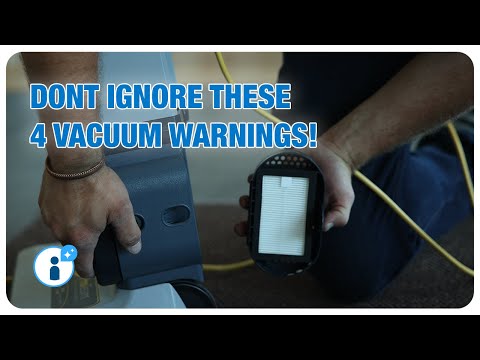
You can follow every “recommended schedule” perfectly—and still end up with a robot that cleans like it’s half-asleep.
Why? Because real life doesn’t follow a calendar.
The smartest way to maintain your robot isn’t just watching the clock. It’s watching performance. Once you know the warning signs, you’ll catch problems early—before your floors start looking… questionable.
4.1 Filter Warning Signs: Suction Loss, Odors, and Visible Dirt
It usually starts subtly.
You walk barefoot across the floor and feel that faint grit again. The robot ran, but something’s off. This is almost always your filter.
As dust builds up inside the filter, airflow gets restricted. And according to manufacturer guidance on airflow and filter maintenance, that restriction doesn’t just reduce suction—it forces the motor to work harder, increasing heat, noise, and long-term wear.
- Suction feels weaker, especially on carpets
- The robot needs multiple passes to clean the same area
- A musty or dusty smell when it runs
- The filter looks dark gray and stays that way after cleaning
You can tap it, brush it, even rinse it (if it’s washable)… but if airflow doesn’t come back, it’s done.
This is the moment many people hesitate—“it still kind of works.” But that’s the trap. A clogged filter doesn’t fail suddenly. It just slowly drags performance down.
And worse? It can push dust back into your air instead of trapping it.
Clean helps. Replace fixes.
4.2 Main Brush Wear: From Tangled Hair to Poor Carpet Pickup
If your robot suddenly struggles with carpets, don’t blame the suction yet—check the brush.
The main brush is responsible for lifting dirt, not just sucking it in. When it wears out, your robot goes from deep-cleaning to… gently rearranging debris.
Classic signs include:
- Hair wrapping around the brush faster than usual
- Bristles that look flattened, uneven, or frayed
- Rubber rollers with cracks or rounded edges
- A slight rattling or grinding noise underneath
At first, you’ll notice it on carpets. They stop feeling “fresh” after a run. Then it spreads—crumbs on hard floors don’t get picked up as cleanly either.
If your robot is gliding instead of digging, it’s not cleaning. It’s coasting. Time for a new brush.
4.3 Side Brush Damage: Why Bent Bristles Ruin Edge Cleaning
This one is sneaky.
Your floors look clean at a glance… until you notice that thin line of dust hugging your baseboards. That’s your side brush failing.
Because side brushes constantly hit walls and furniture, their bristles gradually bend, curl, and fray. And once they lose their shape, they stop reaching into edges properly.
Signs to watch:
- Bristles are permanently bent or splayed outward
- Tips look frayed or uneven
- One brush arm is shorter or missing
- Dust consistently left along walls and corners
Some people try the hot-water trick to reshape them—and yes, it can help temporarily. But once the material loses its elasticity, the effect doesn’t last.
The result? Instead of pulling debris inward, the brush just flicks it around or misses it entirely.
It’s a small part. But the visual difference is huge. Fresh side brushes don’t just clean—they finish the job.
5. Build Your Own Maintenance Schedule (Based on Your Home)
Here’s the part most guides skip: turning all this information into something you can actually use.
Because “replace every 3 months” sounds simple—until your home doesn’t behave like an “average home.” So instead of guessing, let’s build a schedule that actually fits your life.
5.1 Simple Scenarios: Light Use vs Pet Homes vs Heavy Daily Cleaning
Start with a baseline, then match it to your situation. Here’s what real-world schedules look like:
| Scenario | Filter Replacement | Main Brush | Side Brush |
|---|---|---|---|
| Light use (small space, no pets) | Every 4–6 months | ~12 months | ~6 months |
| Average home (mixed floors) | Every 3–4 months | 9–12 months | 3–6 months |
| Pets + daily cleaning | Every 1–3 months | ~6 months | 2–4 months |
See the pattern? The more your robot works—and the more hair and dust it deals with—the faster everything wears out.
If you’ve ever felt like your robot “used to clean better,” this is usually why. The schedule didn’t keep up with the workload. Match your schedule to your reality, not the manual.
5.2 A Practical Formula: Adjusting Manufacturer Guidelines to Your Reality
If you want something more precise than guesswork, here’s a simple way to think about it. Start with a baseline:
- Filter: ~3 months
- Main brush: ~9–12 months
- Side brush: ~3–6 months
Then adjust based on three factors:
- How often it runs (daily vs weekly)
- Whether you have pets
- How much carpet vs hard flooring
In heavy-use homes—daily cleaning, pets, lots of carpet—real-world data shows intervals can shrink dramatically, sometimes down to every 2–3 months for filters and ~6 months for brushes.
On the flip side, light-use homes can stretch timelines well beyond the baseline. Think of it like mileage on a car. Two identical robots. One runs twice a week. The other runs daily with two shedding pets. They don’t age the same. Not even close.
5.3 Using App Alerts and Maintenance Reminders the Smart Way
Most modern robot vacuums try to help—they track usage and send alerts like “Replace filter” or “Check brush.” Helpful? Yes. Perfect? Not even close.
- Treat alerts as reminders to inspect, not automatically replace
- If performance is still strong and parts look clean, you can extend slightly
- If performance drops early, replace immediately—even if the app says you’re fine
Also, don’t ignore physical signs:
- Smell something off? Check the filter
- Seeing edge dust? Check the side brush
- Carpet not lifting dirt? Check the main brush
The best system combines three things: App tracking (for consistency), Visual inspection (for accuracy), and Performance feel (for real-world validation). When all three line up, you’ll never replace too early—or too late.
6. Conclusion
So, how often should you replace robot vacuum filters and brushes?
The short answer: filters every 2–4 months, brushes every 6–12 months.
The real answer? It depends on how hard your robot is working. Pets, daily cleaning, carpets, and dust all accelerate wear. Ignore that, and your robot slowly loses the very thing you bought it for—effortless, reliable cleaning.
And most importantly? You stay hands-off. Just the way it was meant to be.
FAQ
Q: How do I know if my robot vacuum filter needs replacing?
A: Key indicators include a noticeable drop in suction power, a musty or dusty odor during operation, and visible discoloration of the filter material that remains after cleaning. If the robot requires multiple passes to pick up debris that it previously cleared easily, the filter is likely clogged.
Q: Can I wash my robot vacuum filter to make it last longer?
A: While some foam or mesh filters are washable, HEPA filters typically are not and should only be tapped clean. Even washable filters eventually degrade as the fibers break down over time, meaning they still require full replacement every few months to maintain peak motor airflow and filtration.
Q: Why does having pets change the replacement schedule?
A: Pet hair and dander significantly increase the load on a vacuum's components. Dander clogs filter pores faster, while hair wraps around brush rollers and side brushes, causing friction and structural deformation. This increased wear typically requires parts to be replaced twice as often as in pet-free homes.
Q: Is it necessary to replace side brushes if they are still spinning?
A: Yes, because spinning does not equal cleaning. Side brushes rely on their specific shape and bristle tension to sweep debris into the suction path. Once the bristles become permanently bent, frayed, or splayed, they lose contact with the floor and will simply flick dust around instead of capturing it.
Q: Does floor type affect how fast brushes wear out?
A: Absolutely. Carpets create significantly more friction and resistance for the main roller brush, leading to faster bristle wear compared to smooth hard floors. If your home is primarily carpeted, you should inspect your brushes for thinning or flattened bristles more frequently than you would with hardwood.