
Step-by-Step Guide to Winterizing Your Robot Lawn Mower (Avoid Costly Damage & Boost Spring Performance)
Aaron Cooper1. Introduction
You wouldn’t leave your car buried in snow all winter and expect it to start flawlessly in spring—yet that’s exactly what many people do with their robot lawn mower. Cold temperatures, trapped moisture, and improper storage can quietly damage the battery, corrode key components, and lead to frustrating startup failures.
The good news? Winterizing your robot mower isn’t complicated—it just needs to be done right. In this guide, you’ll learn exactly when to stop mowing, how to prep your lawn and machine, and the step-by-step process to store it safely so it wakes up in spring ready to perform like new.
2. When and Why You Should Winterize Your Robot Lawn Mower
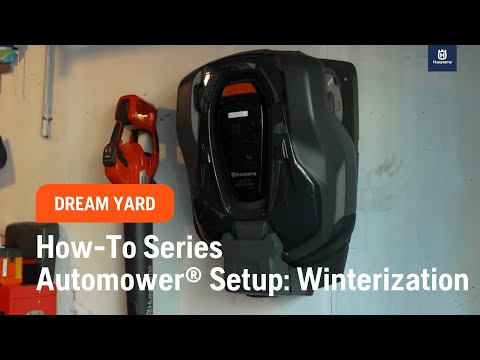
2.1 Signs It’s Time to Stop Mowing for the Season
There’s always that moment in late fall when your lawn just… stops growing. But here’s the mistake most people make: they wait too long.
A widely accepted guideline is when nighttime temperatures consistently drop below about 10°C (50°F) and grass growth slows to a crawl. At this point, your mower is no longer maintaining the lawn—it’s just running unnecessarily. Many robotic mowers are even programmed to stop operating around this threshold.
If you’re unsure, ask yourself: Is the mower cutting less each day? Are patches of grass barely changing between cycles? That’s your signal. Waiting longer doesn’t help your lawn—it just increases the chances of damage.
2.2 How to Perform the Final Mow for Lawn Health
That last mow of the season? It matters more than you think.
Cut your grass too short, and you expose it to winter stress. Leave it too long, and it becomes a soggy, tangled mess under snow—perfect conditions for mold and disease. The sweet spot most experts agree on is around 4–6 cm (about 1.6–2.4 inches).
Think of it like preparing your lawn for hibernation. At this height, the grass is short enough to avoid matting but long enough to protect its roots during freezing conditions.
2.3 Why Winterizing Protects Your Investment
Skipping winterization might save you an hour now—but it can cost you a lot more later.
Robot mowers are packed with lithium-ion batteries, sensors, and exposed charging contacts. These components don’t handle neglect well. In fact, storing lithium batteries at extreme charge levels or temperatures accelerates long-term degradation, which directly impacts runtime and lifespan.
Then there’s moisture—the silent killer. Grass residue isn’t just messy; it holds water and can slowly corrode metal parts, from blade screws to charging contacts. Over a few months, that buildup can turn into rust, poor electrical connections, or even electronic failure.
"Winterizing isn't just maintenance—it's insurance. A small effort now prevents costly repairs and ensures your mower is ready to get straight back to work."
Winterizing flips that story. A properly stored mower:
- Maintains battery health
- Avoids corrosion and mechanical wear
- Starts up smoothly when the season returns
3. Step-by-Step Winterization Checklist (From Lawn to Storage)

3.1 Clean the Mower Thoroughly (Deck, Wheels, Sensors)
Let’s be honest—by the end of the season, your mower is filthy. Packed grass under the deck, dirt in the wheels, dust on sensors. And if you store it like that? You’re basically preserving a layer of moisture and debris for months.
- Safety First: Power the mower off completely and wear gloves—the blades are still sharp.
- The Underside: Flip or tilt the mower (according to your manual) and use a plastic scraper or brush to remove caked-on grass.
- Tight Spots: Use compressed air to clear vents and crevices where grass hides.
- Exterior: Wipe the body and sensors with a slightly damp cloth.
3.2 Inspect and Replace Blades Before Storage
Take a close look at your blades. If you see nicks, bending, or wear, replace them now. Many robotic mowers use small pivoting razor blades that are designed to be swapped, not sharpened. And yes—replace the screws too if recommended.
Benefits of Pre-Winter Replacement
- Saves time in the spring
- Prevents blade corrosion during storage
- Ensures a clean cut for the first spring run
3.3 Prepare the Battery for Long-Term Storage
The battery is the most expensive—and sensitive—part of your mower. Treat it wrong over winter, and you’ll feel it next season.
There are two universal rules:
- Never store the battery empty
- Avoid extreme temperatures
3.4 Handle the Charging Station, Power Supply, and Wires
The mower isn’t the only thing that needs attention—your charging station is just as vulnerable. Start by disconnecting the power supply. Electronics and freezing temperatures don’t mix well. Once unplugged, clean the charging contacts on both the station and the mower.
In colder climates, most guidance recommends bringing the charging station, power adapter, and cables indoors. This protects them from frost, moisture, and even curious rodents.
3.5 Store Your Robot Mower in the Right Environment
The ideal environment is simple:
- Dry
- Frost-free
- Cool, but not cold (roughly 5–20°C / 41–68°F)
Think basement, utility room, or insulated garage. Not a damp shed. Not an unheated metal garage that freezes overnight. Place the mower on its wheels on a flat surface. Avoid sealing it in airtight plastic—this traps moisture. A breathable cover is fine if you want to keep dust off.
4. How to Prevent Battery Damage, Corrosion, and Costly Repairs

4.1 Battery Care Mistakes That Shorten Lifespan
Let’s talk about the most expensive mistake you can make—and yes, it’s surprisingly common.
Lithium-ion batteries don’t like extremes. Not too full. Not too empty. Not too hot. Not too cold. Yet many people store their mower either fully drained after the last run or sitting at 100% charge in a freezing garage.
Both are bad news.
A deep dive into battery behavior shows that storing lithium batteries outside the optimal mid-range charge significantly accelerates chemical aging. In real terms? Less runtime next season. Faster capacity loss. Earlier replacement.
Now add temperature into the mix. Freezing conditions slow chemical reactions but can cause long-term damage, especially if you try to charge the battery while it’s still cold. On the flip side, warm storage at high charge levels quietly speeds up internal wear.
- Keep the battery partially charged (or follow your manufacturer’s guidance)
- Store in a cool, stable, above-freezing environment
- Turn the mower completely OFF to avoid slow drain
Ignore this, and your mower might still “work” in spring—but with noticeably shorter run times and reduced efficiency. And that’s how battery damage sneaks up on you.
4.2 Moisture and Corrosion: The Silent Killer of Robot Mowers
Here’s the thing no one tells you: dirt isn’t the problem. Moisture is.
That layer of grass clippings stuck under your mower? It acts like a sponge. It traps water, holds chemicals from the lawn, and sits there for months quietly attacking metal parts.
Over time, this leads to:
- Rust on blade screws and cutting discs
- Corroded charging contacts
- Degraded seals and connectors
And it doesn’t stop at the surface. Condensation is even worse. When a cold mower is brought into a warm space, moisture can form inside the housing—right where sensitive electronics live.
There are real-world cases where tiny gaps in seals or cable entries allowed moisture in, eventually damaging internal boards. Not dramatic. Not immediate. Just slow, expensive failure.
- A thorough cleaning before storage
- Complete drying—no shortcuts
- A dry, ventilated storage space
Skip this, and you’re basically letting corrosion run a four-month marathon inside your mower.
4.3 Protecting Charging Contacts and Internal Electronics
If your mower ever refuses to charge in spring, there’s a good chance the problem starts here.
Charging contacts are exposed, metal, and constantly subjected to dirt, moisture, and oxidation. Over winter, even a thin layer of corrosion can increase resistance or block charging entirely.
The fix is simple—but often skipped.
Start by disconnecting power. Then:
- Wipe contacts clean with a dry or slightly damp cloth
- If you see discoloration, lightly use fine abrasive material (only if recommended)
- Apply a small amount of contact spray or protective grease
Think of it like putting a protective seal on exposed metal. You’re not just cleaning—you’re preventing oxidation before it starts.
Also, don’t ignore the small details:
- Check cable entry points and seals
- Make sure no debris is sitting near connectors
- Ensure everything is dry before storage
These are the tiny things that separate a smooth spring startup from a frustrating troubleshooting session.
4.4 Common Winter Storage Mistakes to Avoid
Most winter damage doesn’t come from one big mistake—it comes from a handful of small ones.
Let’s call them out.
Avoid These Mistakes
- Leaving the mower outside on the charging station all winter: You’re exposing sensitive electronics to moisture, frost, and temperature swings.
- Storing with an empty battery: One of the fastest ways to permanently reduce battery capacity.
- Never turning the mower fully OFF: Background systems can slowly drain the battery over time.
- Charging a freezing-cold mower: Can cause internal condensation and even short circuits.
- Skipping cleaning: Leftover grass is corrosive over time.
- Ignoring the charging station and connectors: Dirty contacts are a top reason for charging failures.
- Storing in a damp shed or freezing garage: Freeze-thaw cycles and humidity are brutal on electronics.
None of these feel like a big deal in the moment. But stack them together? That’s when repair bills show up.
5. Advanced Tips for RTK, Wire-Free, and High-End Robot Mowers

5.1 Firmware Updates, Maps, and Smart Features Before Storage
Modern robot mowers aren’t just machines—they’re software-driven systems on wheels.
And here’s a question: when was the last time you updated yours?
Many manufacturers release firmware updates in the fall, often improving battery management, charging behavior, and navigation accuracy. Skipping this step means you’re literally putting your mower into storage with outdated performance.
Before shutting it down:
- Connect to the app and install any available updates
- Verify your mowing schedules and settings
- Save or screenshot key configurations
For RTK or GPS-guided mowers, this step is even more critical. Your virtual boundaries, zones, and no-go areas live in software. Back them up. Don’t assume they’ll always be there.
It takes five minutes. But it can save hours of reconfiguration in spring.
5.2 RTK Base Stations vs Boundary Wires: What to Do in Winter
Not all navigation systems are created equal—and winter care depends on what you’re using.
Here’s how they differ:
| System Type | What to Do in Winter | Key Risk |
|---|---|---|
| Boundary Wire | Leave in ground, protect connectors | Corrosion at exposed ends |
| RTK / GPS Base Station | Power down, protect or store components | Loss of positioning accuracy if moved |
| Hybrid Systems | Combine both approaches | Mixed risks |
For boundary wires, life is easy—they stay buried. Just protect exposed connectors from moisture.
RTK systems? That’s where things get interesting.
These systems rely on a fixed reference point. Move the base station significantly, and you may need to remap your entire lawn in spring. That’s why many experts recommend photographing or marking the exact installation position.
If removable:
- Store sensitive components indoors
- Protect antennas and cables from weather
If not:
- Ensure weatherproofing is intact
- Disconnect power where appropriate
Precision systems need precision care. Otherwise, your perfectly mapped lawn turns into a digital guessing game next season.
5.3 Integrated vs Removable Batteries: Storage Differences
Not all batteries are treated the same—and this is where people often get confused.
| Feature | Integrated Battery | Removable Battery |
|---|---|---|
| Storage method | Store entire mower indoors | Remove and store separately |
| Temperature control | Affects whole unit | Easier to control environment |
| Maintenance access | Limited | Easy inspection and replacement |
| Risk level | Higher if stored poorly | Lower with proper handling |
With integrated batteries, your only option is to store the entire mower correctly. That means temperature, humidity, and charge level all matter at once.
With removable batteries, you get more control:
- Store them in a stable indoor environment
- Check charge level periodically
- Keep them away from extreme temperatures
5.4 Is Professional Winter Service Worth It?
Let’s be honest—this whole process takes time.
So is professional servicing worth paying for?
It depends.
For basic mowers and smaller lawns, DIY winterization is usually more than enough if you follow the steps carefully.
But for high-end, RTK-enabled, or heavily used machines, professional service can be a smart investment.
Typical services include:
- Deep internal cleaning
- Full system diagnostics
- Battery health testing
- Firmware updates
- Blade replacement and mechanical inspection
Think of it like a yearly check-up for your mower. If your mower is expensive, under warranty, or critical to maintaining a large property, professional servicing can catch issues early and extend its lifespan.
If not? Save your money and do it yourself—just don’t cut corners.
6. Conclusion
Winterizing your robot lawn mower isn’t complicated—but it is essential.
A thorough clean, proper battery care, and the right storage environment do more than just “protect” your mower—they preserve its performance, reliability, and lifespan. Skip these steps, and you risk corrosion, battery degradation, and frustrating startup issues when spring arrives.
The good news? Most of the work takes less than an hour.
Do it right, and your mower wakes up ready to go—no troubleshooting, no surprises, just a clean, efficient first cut of the season.
FAQ
Q: When should I stop using my robot lawn mower for the season?
A: You should stop mowing when nighttime temperatures consistently drop below 10°C (50°F). At this point, grass growth slows significantly, and continuing to run the mower in cold, damp conditions increases the risk of moisture damage to the battery and internal electronics.
Q: How should I prepare the battery for winter storage?
A: Most manufacturers recommend storing the battery at a partial charge, typically between 80-90%, rather than completely full or empty. Ensure the mower is turned completely off to prevent slow discharge, and store the unit in a frost-free, dry environment to maintain long-term battery health.
Q: Can I use a pressure washer to clean my robot mower?
A: No, you should never use a pressure washer. High-pressure water can force moisture past seals and into sensitive electronic components, leading to corrosion or short circuits. Instead, use a plastic scraper, a stiff brush, and a slightly damp cloth for cleaning the deck and sensors.
Q: Should I leave the charging station outside during winter?
A: In cold climates, it is best to disconnect the power supply and store the charging station indoors. This protects the electrical contacts and internal circuitry from frost and rodent damage. If the station must stay outside, ensure it is well-protected and disconnected from power.
Q: Do I need to remove the boundary wire in winter?
A: No, boundary wires can remain in the ground year-round. However, you should protect any exposed ends or connectors using waterproof caps or tape to prevent corrosion from snow and rain, ensuring they are ready for reconnection in the spring.