
Best Robot Vacuum and Mop Combos with Self-Cleaning Docks: Top Picks, Real Tests & Buying Guide
Aaron Cooper1. Introduction
There was a time when robot vacuums were just… well, tiny gadgets that bumped into chair legs and hoped for the best. Fast forward to today, and they’ve evolved into full-blown “floor care systems” that vacuum, mop, empty themselves, wash their own pads, and even dry them afterward.
The promise? You stop thinking about floors entirely.
Think of them as tireless assistants quietly keeping your home presentable—so dirt never gets the chance to build up.
But here’s the reality check: even the best models are designed for daily maintenance, not deep scrubbing marathons. In this guide, we’ll break down the top-performing models, what actually matters when buying, and where these robots genuinely shine (and where they don’t).
2. Top Picks: Best Robot Vacuum and Mop Combos with Self-Cleaning Docks
2.1 Best Overall Performance: Flagship All-in-One Systems
Let’s be honest—most people don’t want a robot vacuum. They want freedom from cleaning.
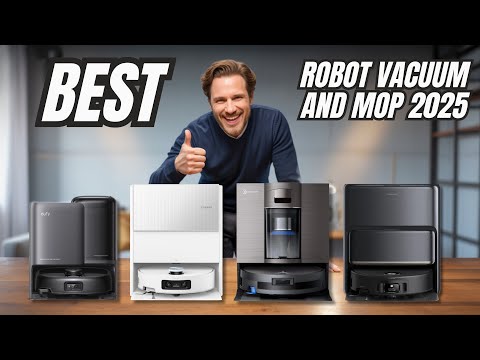
That’s exactly what flagship systems like the Dreame L50 Ultra, Roborock Qrevo Master, and Ecovacs T90 Pro Omni are chasing: a world where your floors are just… handled.
What makes them different?
- Fully automated docks that empty dust, wash mop pads with hot water, dry them, and refill tanks
- Smart navigation using LiDAR (laser-based mapping that scans your home like a self-driving car)
- Advanced obstacle avoidance that dodges cables, socks, and pet toys
According to aggregated lab testing and expert reviews, the Dreame L50 Ultra consistently ranks as a top overall robot vacuum system, balancing strong vacuuming, reliable navigation, and one of the most complete self-maintenance docks available.
Pros
- True "set it and forget it" automation
- Hot water mop washing prevents odors
- Superior LiDAR mapping and obstacle avoidance
Cons
- High initial investment cost
- More complex maintenance due to more parts
- Still won't replace a periodic deep clean
2.2 Best Value Picks: Premium Features Without the Premium Price
Now here’s where things get interesting. You don’t actually need to spend top-tier money to get that “hands-free” feeling.
Models like the Mova P10 Pro Ultra and Narwal Freo Pro deliver most of the flagship experience—without the flagship price tag.
Take the Narwal Freo Pro. Independent testing highlights it as a standout value pick, combining strong cleaning with thoughtful automation. It’s widely recognized for its dual spinning mop pads and smart mess detection, earning its reputation as a top-performing value robot mop combo.
The Mova P10 Pro Ultra takes a slightly different approach—leaning into power and automation. It delivers:
- Strong suction for both hard floors and carpets
- Dual spinning mops with solid pressure
- A fully automated dock (washing, drying, refilling)
2.3 Specialized Picks: Best for Pet Hair, Tough Stains, or Hard Floors
Not all homes are created equal—and neither are robot vacuums. The “best” robot depends entirely on your mess.
| Focus Area | Recommended Model | Key Feature |
|---|---|---|
| Tough Stains | Dreame Aqua 10 Ultra | Steam-powered roller mop |
| Hard Floor Deep Mopping | eufy Omni E25 | Continuous clean water refresh |
| Pet Hair | Anti-tangle Systems | Specialized brush rollers |
For pet hair (and sanity): Modern anti-tangle brush designs are a game changer. Instead of wrapping hair endlessly around the roller, newer systems funnel it directly into the dustbin.
3. Key Features Compared: What Actually Matters Before You Buy

3.1 Mopping Systems Explained: Spinning Pads vs Roller vs Flat Pads
Most brands will tell you their mopping system is “revolutionary.” In practice, there are three main types:
- Flat pads (the basic option): Simple and low-maintenance; best for light dust.
- Dual spinning pads (the sweet spot): Rotate at high speed to scrub dried stains; most common in mid-to-high-end robots.
- Roller systems (the overachiever): Continuously feeds clean water and extracts dirty water; the closest to manual mopping.
3.2 Dock Automation: From Auto-Empty to Fully Self-Maintaining Stations
“Self-cleaning dock” sounds like you’ll never touch the robot again. That’s… not entirely true. You are not eliminating maintenance—you’re batching it.
| Dock Tier | Automated Features |
|---|---|
| Basic | Auto-empty dustbin only |
| Mid-range | Auto-empty + Mop washing + Room-temp drying |
| Flagship | Hot water wash + Heated air dry + Auto-refill & Drain |
3.3 Suction Power, Navigation, and Carpet Handling
Let’s clear up a common misconception: more suction doesn’t automatically mean cleaner floors.
Navigation (the underrated hero): Most high-end models now use LiDAR combined with AI cameras for fewer bumps and better coverage.
Carpet Handling: Hybrid combos often struggle with deep carpet cleaning because they must raise the mop pads, which can limit brush contact depth.
3.4 Edge Cleaning and Smart Features That Make a Difference
Because they’re round, most robots can’t fully reach into corners. Newer innovations are closing the gap:
- Extending mop arms that swing outward to reach edges
- Side brushes that flick debris into the suction path
- AI object recognition that avoids cables and pet messes
4. Real-World Performance: What These Robots Do Well (and Where They Struggle)
4.1 Pet Hair, Carpets, and Hard Floors: Performance Reality Check
Let’s start with the dream: spotless floors, zero effort, and not a single strand of pet hair in sight.
Now… reality.
On hard floors, these robots are genuinely impressive. Whether it’s scattered litter, crumbs, or fur tumbleweeds drifting across your living room, most modern systems handle it effortlessly. In fact, across independent testing, pet hair pickup on hard surfaces is consistently described as excellent.
But carpets? That’s where things get complicated.
Because these are hybrid machines, they’re built with compromises:
- Brushes are often positioned slightly higher to avoid dragging wet mop pads
- Mop systems add weight and complexity
- Suction alone isn’t enough to match a dedicated upright vacuum
The result?
Pros
- Great for surface debris
Cons
- Inconsistent for deep, embedded dirt
Some newer designs try to fix this with anti-tangle brushes and smarter airflow, but even then, performance varies widely. You’ll notice it most if you have thick rugs or pets that shed heavily.
So yes—you’ll walk barefoot on clean floors. But no, you won’t retire your deep-clean vacuum just yet.
4.2 Edge Cases: Corners, Obstacles, and Mixed Flooring Homes
Here’s where expectations meet real life: chair legs, cables, rugs, weird corners… all the stuff your home is actually full of.
Even with LiDAR navigation (that laser-based mapping system that builds a real-time layout of your home), robots still have blind spots.
Corners?
Still a challenge. Round robots physically can’t reach deep into sharp angles, so you’ll often find a faint line of dust left behind.
Furniture and obstacles?
Modern AI helps avoid socks and cables, but it’s not perfect. Around table legs or cluttered zones, cleaning coverage can drop noticeably.
Many robots:
- Lift their mop pads when crossing rugs
- Or follow cleaning sequences (vacuum first, mop later)
But testing consistently shows a common issue: slightly damp carpet edges during transitions.
Some premium models solve this by:
- Lifting the mop higher
- Or leaving mop pads at the dock entirely
But if your home has lots of transitions? You’ll still need to tweak settings or create cleaning routines.
In other words: these robots are smart—but your home is chaotic.
4.3 Can They Replace Manual Cleaning?
Short answer? No.
Long answer? Not even close—but that’s not the point.
These robots are built for maintenance, not rescue missions.
Think about the messes that actually break a cleaning routine:
- Dried coffee splatters
- Sticky kitchen spills
- Grime in grout lines
- That mysterious spot near the trash can
Even the most advanced systems struggle here. As multiple expert reviews point out, they simply don’t have the pressure or precision to scrub like a human.
What they do excel at is consistency.
Instead of letting dirt build up until cleaning becomes a full weekend project, these robots:
- Keep floors consistently presentable
- Prevent buildup before it becomes a problem
- Reduce how often you need to deep clean
It’s a mindset shift.
You’re not replacing cleaning.
You’re eliminating the need for constant cleaning.
5. Hidden Costs & Maintenance: What to Expect Long-Term
5.1 Consumables and Annual Costs
Here’s the part most people don’t think about—until a few months in.
That “hands-free” robot? It quietly runs on a steady stream of replacement parts.
We’re talking about:
- Dust bags (for auto-empty docks)
- Filters
- Main brushes and side brushes
- Mop pads
- Cleaning solution (for some models)
Individually, none of these are expensive. But over time? They add up.
Across major brands, a realistic expectation based on aggregated data is roughly $50–$120 per year in consumables—more if you have pets or run the robot daily.
And yes, usage matters a lot:
- Pet owners will burn through brushes and filters faster
- Frequent mopping means more pad wear
- Heavy dirt = more dust bag replacements
Some systems (like bagless docks) reduce costs in one area but shift them elsewhere.
The takeaway?
This isn’t a one-time purchase.
It’s more like owning a low-maintenance appliance—with ongoing upkeep.
Still, compared to the time you save? Most people don’t hesitate.
5.2 Weekly and Monthly Maintenance Routine
“Self-cleaning” sounds like zero effort.
Reality check: it’s more like low-frequency effort.
Instead of daily chores, you’ll deal with a short routine every few days or weeks.
- Every 2–7 days: Empty the dirty water tank and refill the clean water tank. (Miss this step? That smell builds fast.)
- Weekly: Rinse the dock’s wash tray and remove hair buildup from brushes or filters.
- Monthly: Clean internal filters, check for clogs, and inspect wheels and sensors.
- Every few months: Replace filters, brushes, or mop pads as needed.
It sounds like a lot—but in practice, it’s 5–10 minutes here and there.
And compared to dragging out a mop and vacuum every weekend?
It’s not even close.
5.3 Durability and Common Issues Over Time
Here’s the uncomfortable truth: the more automated these systems become… the more things can go wrong.
Not catastrophically—but gradually.
The most common long-term issues:
- Odor buildup: Dirty water tanks and damp mop pads can develop smells if neglected
- Clogs and reduced performance: Hair, debris, or detergent residue can block internal channels
- Pump and water system wear: Especially in areas with hard water or heavy usage
- Brush wear and tangling: Even anti-tangle designs need occasional cleanup
None of these are deal-breakers—but they all come down to one thing: Maintenance habits.
One overlooked factor? Water quality.
Hard water can lead to mineral buildup inside the system, which affects performance over time. A simple habit—like occasional rinsing or descaling—can extend the life of your robot significantly.
Bottom line:
These machines are incredibly convenient.
But they reward just a little bit of care.
6. Conclusion: How to Choose the Right Self-Cleaning Robot for Your Home
So, what’s the “best” robot vacuum and mop with a self-cleaning dock?
Honestly—it depends on what you’re trying to escape.
If your home is mostly hard floors and you hate mopping, a roller or spinning-pad system with a full-service dock will feel life-changing. If you’ve got pets, prioritize anti-tangle brushes and strong suction. And if you just want convenience without overspending, value models now get surprisingly close to flagship performance.
But here’s the key: don’t buy into the fantasy of zero maintenance or deep-clean replacement. These robots shine when they run often, quietly keeping your floors under control.
Pick the one that fits your home—and your tolerance for upkeep.
Because the real win isn’t perfect floors.
It’s never having to think about them.
FAQ
Q: Can these robot vacuums completely replace manual mopping?
A: Based on aggregated performance data, these robots are designed for daily maintenance rather than deep cleaning. While they excel at preventing dirt buildup and removing surface stains, they lack the manual pressure required to scrub away heavy, dried-on grime or deep-seated grout stains effectively.
Q: How often do I need to maintain the self-cleaning dock?
A: While the dock automates pad washing and dust emptying, users typically need to refill clean water and empty dirty water every 2 to 7 days. Weekly rinsing of the wash tray is also recommended to prevent odor buildup and ensure long-term mechanical reliability.
Q: Do robot mop combos work well on thick carpets?
A: Most hybrid models raise their mop pads or leave them at the dock when detecting carpet. However, technical specifications and user reviews suggest they are best suited for low-to-medium pile carpets, as they may struggle with deep-cleaning embedded debris compared to dedicated upright vacuums.
Q: Are self-cleaning docks noisy during operation?
A: The auto-empty feature typically generates a loud suction noise for 15 to 30 seconds. Additionally, the heated air drying process for mop pads creates a quiet, consistent hum that can last for several hours, depending on the specific model's drying cycle settings.
Q: What are the ongoing costs for these systems?
A: Owners should expect to spend between $50 and $120 annually on consumables. This includes replacement HEPA filters, side brushes, main rollers, mop pads, and specialized cleaning solutions, with costs varying based on usage frequency and the presence of shedding pets.