
The Truth About Robot Vacuums and Dark Carpets (Cliff Sensor Issues): Causes, Fixes, and Safe Solutions That Actually Work
Aaron Cooper1. Introduction: Why Your Robot Vacuum Avoids Dark Carpets
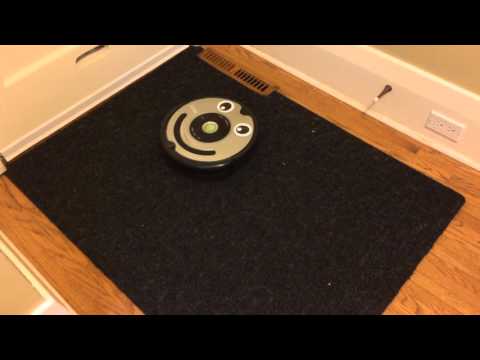
You set your robot vacuum loose, expecting that satisfying “set it and forget it” clean… and then it hits your dark rug—and just stops. Or worse, it spins, backs away, and treats your perfectly flat carpet like a dangerous cliff edge.
It’s not a defect. It’s physics.
Most robot vacuums rely on cliff sensors designed to prevent falls, but on dark carpets, those same sensors get confused. The result? Missed spots, broken maps, and that frustrating feeling that your “smart” cleaner suddenly isn’t so smart. In this guide, we’ll break down exactly why this happens—and what actually works to fix it safely.
2. How Cliff Sensors Work (And Why Dark Carpets Break Them)
2.1 The Basics: Infrared Sensors and Drop Detection
Here’s the part most people never see: your robot vacuum is constantly “looking” at the floor beneath it.
Underneath the robot are tiny infrared (IR) sensors—think of them like invisible flashlights. They shine light downward and wait for it to bounce back. If enough light returns, the robot thinks, “Solid floor. Safe to proceed.” If the signal is weak or missing, it assumes there’s a drop—like stairs—and immediately backs away.
In fact, the entire safety system depends on this simple rule: strong reflection means floor, weak reflection means danger.
And most of the time, it works perfectly. Until it doesn’t.
2.2 Why Dark Carpets Look Like a ‘Cliff’ to Your Robot
Now here’s where things go sideways.
Dark carpets—especially deep black, matte, or thick pile rugs—don’t reflect much infrared light. Instead, they absorb it. To your robot, that weak return signal looks almost identical to what it would see at the edge of a staircase.
So what does it do? Exactly what it was designed to do: stop, back up, and avoid the “danger.”
It gets worse with certain materials and textures:
- Thick or shaggy carpets scatter light in random directions
- Matte fibers absorb more IR than glossy surfaces
- High pile can change the angle of reflection entirely
The result? Even though you see a perfectly safe rug, your robot sees… nothing. A void. A drop.
And if your rug has a dark border? That sharp contrast can create a “force field” effect—where the robot cleans the center but refuses to cross the edge.
It’s not being picky. It’s being cautious. Maybe too cautious.
2.3 Common Real-World Symptoms You’ll Notice
If you’ve dealt with this, you already know how oddly specific—and frustrating—the behavior can be.
Instead of cleaning smoothly, your robot starts acting… confused:
- It stops right at the edge of a dark rug, then backs away
- It spins in place, trying to “figure out” a path forward
- It repeatedly approaches the same spot, then retreats
- It leaves a perfectly shaped “hole” in your cleaning map
- It may even throw cliff or drop sensor errors on flat ground
One widely observed pattern is robots getting stuck in a loop—approach, panic, retreat, repeat—especially on black carpets where low infrared reflectivity mimics a drop-off.
3. Practical Fixes: What Actually Helps (and What Doesn’t)
3.1 Safe First Steps: Cleaning Sensors and Optimizing Setup
Before you even think about hacks, start here—because sometimes the issue isn’t just the carpet.
Over time, dust, pet hair, and even fine film can build up over the cliff sensor windows. That weakens the already faint signal coming back from dark surfaces. It’s like trying to see through a smudged pair of glasses in a dim room.
The fix is simple:
- Flip the robot over (powered off)
- Wipe each sensor window with a clean, dry microfiber cloth
- Make sure the wheels and caster move freely (tilt can affect sensor angles)
If your robot uses a camera (vSLAM navigation), lighting matters too. Running it in a dim room can compound confusion, even if the cliff sensors are the main issue.
Will this magically fix a jet-black shag rug? Probably not. But it can be the difference between “completely unusable” and “occasionally works.” And more importantly—it’s safe, fast, and manufacturer-approved.
Start here. Always.
3.2 Smart Workarounds: App Settings, No-Go Zones, and Mapping
Let’s be honest—sometimes the smartest move isn’t forcing your robot to clean a problem area. It’s working around it.
Modern robot vacuums give you surprisingly powerful tools:
- No-go zones to block off troublesome rugs
- Room-based cleaning to skip specific areas
- Scheduling to clean when you can supervise
It might feel like a compromise, but think about the trade-off: would you rather your robot get stuck every cycle, or clean 95% of your home flawlessly?
Some brands even go further. For example, certain models allow you to mark dark carpet areas so the robot reduces cliff sensitivity—essentially telling it, “Hey, this isn’t a staircase.”
Still, for many households, this approach hits the sweet spot: no risk, no hacks, no frustration. Just clean everywhere that actually works—and handle the edge cases on your terms.
3.3 DIY Hacks: Taping Sensors and Reflective Tricks (Do They Work?)
Now for the internet-famous fix: taping over the sensors.
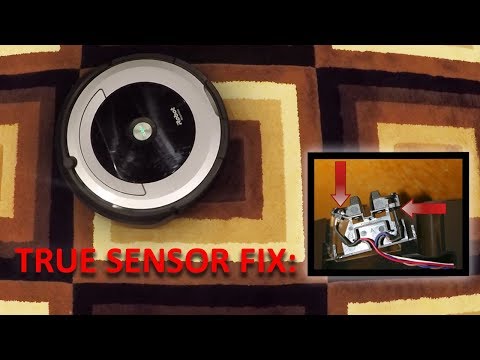
You’ve probably seen it—cut a piece of white paper, cover it with tape to make it glossy, and stick it over the cliff sensors. The idea is simple: force the sensor to always “see” a strong reflection.
And yes… it often works.
Suddenly, your robot glides right over that black carpet like nothing ever happened. No hesitation. No spinning. No avoidance.
But here’s the part people gloss over:
Pros
- Effectively bypasses sensor confusion on dark rugs
- Allows robot to clean previously "forbidden" zones
Cons
- Disables the safety system entirely
- Robot will drive right off stairs or drops
- Tape can peel, shift, or collect dirt
So… do these hacks work? Yes.
Are they safe? Only in very specific situations—like single-level homes with zero drop-offs and controlled environments.
For everyone else, it’s a risky trade-off. One that can turn a small annoyance into a much bigger problem.
4. Safety First: When Fixes Become Dangerous
4.1 The Hidden Risk: Disabling Cliff Sensors = No Fall Protection
Here’s the uncomfortable truth most “quick fix” videos skip: those tiny cliff sensors aren’t optional—they’re your robot’s last line of defense.
And that’s where things can go very wrong.
Robot vacuums are designed with a simple assumption: if the infrared signal disappears, stop immediately. Remove that rule, and the robot will happily continue forward—even if that “forward” leads straight down a staircase.
The result?
- Sudden falls down stairs or ledges
- Damage to the robot (and anything below)
- Potential safety hazards for pets or people nearby
This isn’t theoretical. It’s exactly what those sensors were built to prevent.
So while taping sensors might feel like a clever workaround, it’s really more like removing the brakes from a car because they squeak. It solves one annoyance… by introducing a much bigger risk.
If your home has any drop-offs, this is not a trade-off worth making. Not even close.
4.2 When DIY Hacks Are (Relatively) Safe vs. Risky
So is there any scenario where these hacks make sense?
Yes—but the conditions are stricter than most people realize. Let’s break it down in real-world terms.
Relatively safer situations
- Single-level homes with zero stairs, ledges, or sunken areas
- Dedicated cleaning zones where the robot cannot physically reach a drop
- Short, supervised test runs (you’re literally watching it the entire time)
High-risk situations (avoid hacks entirely)
- Any home with stairs, balconies, or split levels
- Open floor plans where the robot can roam freely
- Households where the robot might be moved between floors
- “Set it and forget it” cleaning schedules
Here’s the key question to ask yourself:
Can I guarantee—with 100% certainty—that this robot will never reach a drop?
If the answer is anything less than a confident yes, don’t do it. Even brands that offer software-based sensitivity adjustments warn users that reducing cliff detection should be done carefully around hazards. It’s a deliberate trade-off—not a free upgrade.
4.3 Safer Alternatives: Barriers, Layout Changes, and Hybrid Cleaning
If disabling safety features feels like a bad idea… that’s because it is. The good news? You’ve got better options that don’t involve gambling with gravity.
-
Physical barriers (the “set it and forget it” solution)
A simple baby gate or low barrier at the top of stairs creates a hard stop your robot can’t ignore. Pair that with virtual no-go zones, and you’ve got layered protection. -
Smarter layout tweaks
Sometimes the issue isn’t the robot—it’s where the rug lives.- Move dark rugs away from stair edges
- Rotate carpets so dark borders aren’t in critical paths
- Add a lighter runner over problem areas
-
Hybrid cleaning strategy
Let your robot dominate 90% of your home—the hard floors, lighter carpets, everyday dust. Then handle that one stubborn black rug manually.
5. Which Robot Vacuums Handle Dark Carpets Better?

5.1 LiDAR vs Camera vs Basic Navigation: What Actually Matters
This is where a lot of buyers get misled. You’ll hear: “Just get a LiDAR robot—it works on dark carpets.”
Not quite.
LiDAR (Light Detection and Ranging) is the spinning laser system on top of many robots. Think of it as a lighthouse—it scans your home with invisible laser pulses to build a map. It’s amazing for navigation, especially in low light.
In fact, many systems are known to deliver consistent mapping regardless of room lighting, which is why they perform so well at night.
So what does this mean in practice?
- LiDAR = better navigation, smarter paths, works in the dark
- Cliff sensors = still the decision-maker for “is this floor safe?”
You can have a $1,000 robot with perfect mapping… that still refuses to cross a black rug. It’s not about navigation tech alone. It’s about how the entire sensor system works together.
5.2 Why Some Newer Models Perform Better on Dark Floors
So why do some robots glide over dark carpets while others panic? It comes down to refinement—not reinvention. Newer models are improving in a few key ways:
1. Better sensor calibration
Manufacturers are tuning how sensitive cliff sensors are. Instead of treating every low-reflection signal as danger, newer robots are slightly more “confident” on dark surfaces.
2. Multi-sensor fusion
Rather than relying on a single signal, advanced robots combine inputs:
- LiDAR mapping
- Front-facing obstacle sensors
- Internal movement tracking
3. Smarter software logic
Some robots now allow features like marking dark carpet zones, reducing cliff sensitivity in specific areas, or learning from repeated passes.
The result? Fewer false alarms. Less hesitation. More complete cleaning.
But—and this matters—manufacturers still err on the side of caution. Because one missed staircase detection is far worse than one skipped rug.
5.3 What to Look for Before You Buy (If You Have Dark Carpets)
If your home has dark carpets, buying the wrong robot can lock you into daily frustration. So what should you actually look for?
| Feature to Check | Why It Matters for Dark Floors |
|---|---|
| Explicit Compatibility | Indicates the brand has tuned sensors for low-reflection surfaces. |
| LiDAR Mapping | Allows for precise no-go zones and room-specific cleaning. |
| Adjustable Settings | Lets you toggle cliff sensitivity (use with caution around stairs). |
| Return Policy | Critical because every carpet's fiber and sheen is unique. |
Real-world reviews mentioning black rugs: Specs won’t tell you this. Users will. Search for phrases like “black carpet,” “dark rug,” or “won’t cross” in reviews. That’s where the truth shows up.
6. Conclusion: The Smart Way to Handle Dark Carpet Challenges
Dark carpet issues aren’t a flaw—they’re a side effect of how robot vacuums stay safe. Once you understand that infrared cliff sensors rely on reflection, everything clicks: your robot isn’t broken, it’s being cautious.
Start with the safe wins. Clean the sensors. Use app controls. Adjust your layout. These small changes often deliver big improvements without adding risk.
Tempted by hacks? They can work—but only in tightly controlled, stair-free environments. Otherwise, the trade-off isn’t worth it.
And if you’re shopping for a new robot, focus less on marketing buzzwords and more on real-world behavior: smart mapping, adjustable settings, and proven performance on dark floors.
Because the goal isn’t just a smarter robot. It’s a home that stays clean—without you thinking about it.
FAQ
Q: Why does my robot vacuum stop on dark carpets?
A: Most robot vacuums use infrared cliff sensors that require light to bounce back. Dark or black carpets absorb this infrared light rather than reflecting it, leading the robot to incorrectly identify the carpet as a dangerous drop or staircase, causing it to stop or retreat.
Q: Is it safe to tape over robot vacuum cliff sensors?
A: Taping over sensors is only safe in single-level homes without any stairs or ledges. By covering the sensors, you disable the robot's primary safety feature, meaning it will no longer detect actual drops and could be severely damaged by falling down a staircase.
Q: Does LiDAR navigation prevent dark carpet issues?
A: While LiDAR provides superior room mapping and navigation in low light, it does not replace downward-facing cliff sensors. Even high-end LiDAR models still rely on infrared sensors for drop detection, meaning they can still be tricked by high-absorbency dark fibers.
Q: How can I clean my cliff sensors properly?
A: To clean sensors, power off the robot and flip it over. Use a dry, clean microfiber cloth to gently wipe the small transparent windows located around the perimeter. Removing dust and pet hair can occasionally improve the signal strength on darker surfaces.
Q: Can app settings solve dark rug navigation problems?
A: Yes, many modern robots allow you to set "No-Go Zones" or virtual barriers around problematic rugs. Some advanced models also offer software toggles to adjust cliff sensor sensitivity specifically for homes with dark flooring, balancing coverage with safety requirements.